

LollyLaw prioritizes data integrity to preserve all crucial case data. However, if needed, users with certain permissions are able to delete specific records within their firm’s LollyLaw account, including contact, matter, or activity records.
This article will cover how to delete matter and activity records. For information on deleting contact records, please refer to our help article on the topic.
Deleting an Activity Record
If a user creates an errant standalone activity record, it’s relatively easy to delete.
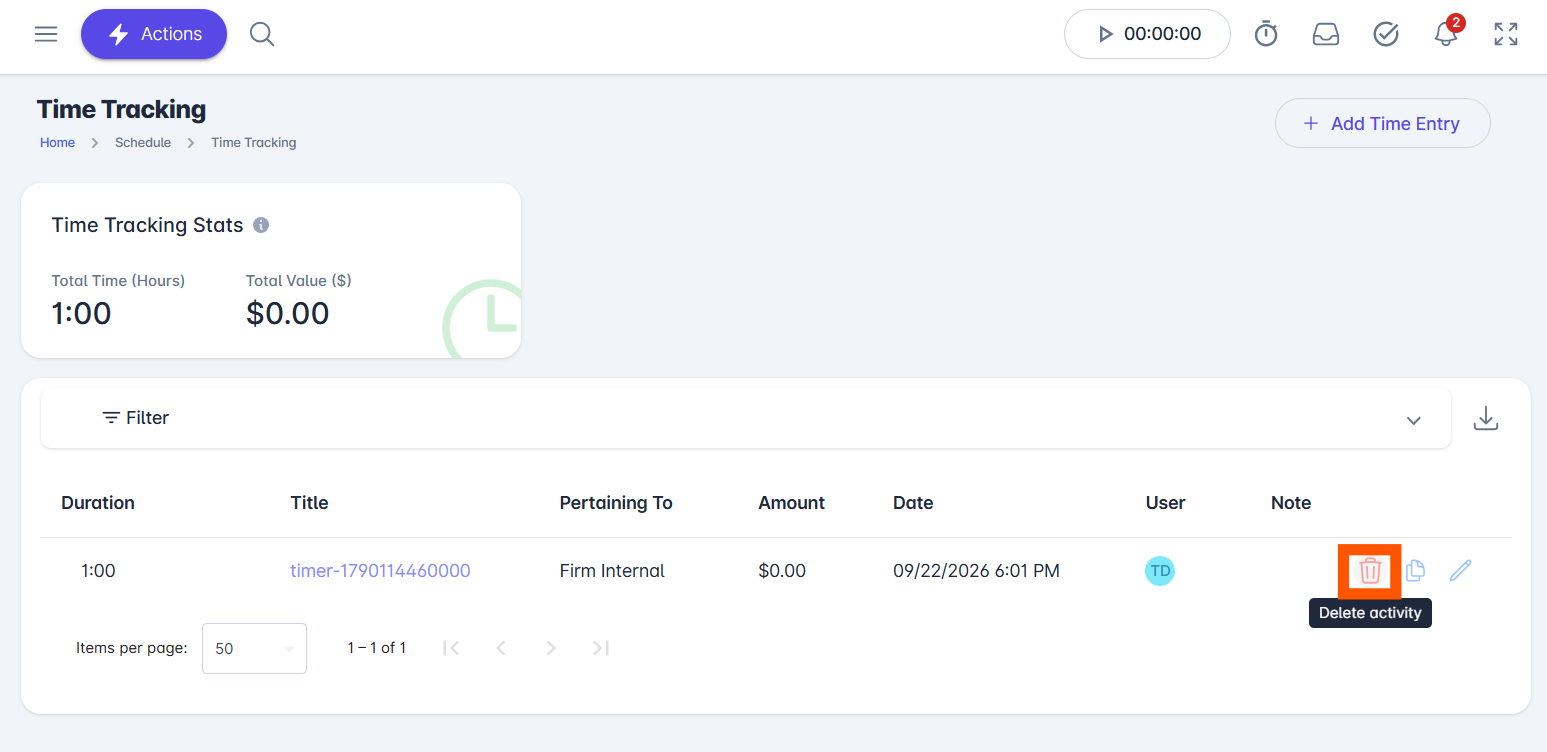
If an errant activity record (ex., task, event, time entry, note, reminder, etc.) is created that a user wants to delete, they can simply click the red trash can icon on the left side of any record.
Deleting a Matter Record
LollyLaw has data integrity safeguards in place for linked matter and billing records. A Matter may contain numerous references to other data: time entries, expenses, charges, billing cycles, forms, etc. Think of a linked matter as a tree trunk with branches of data. In order to delete a record of a matter, as if it never existed, all the branches would have to be removed first.
Example 1: If you indicated the client made a payment, the system automatically creates that payment record when the matter is opened. If you intended to expunge the matter, then that payment record would need to be deleted first; otherwise, it will show as money the firm received for a case that no longer is in the system.
Example 2: If it was a flat fee case, then for accounting purposes the system creates an initial charge record (e.g., money owed) when the matter is opened. This initial charge would need to be removed first; otherwise, it will again show as money owed to the firm for a case that is no longer in the system.
The worst thing that could happen is a matter that has been open and worked on for some time to be accidentally (or maliciously) deleted, along with all other records connected to it. By design, the longer a case is open and worked on, the more difficult the matter is to delete.
It is best to change the status of the matter to ‘Close’. This keeps all the other records intact and protects the data.
However, if you would still prefer to delete the matter record, here's how:
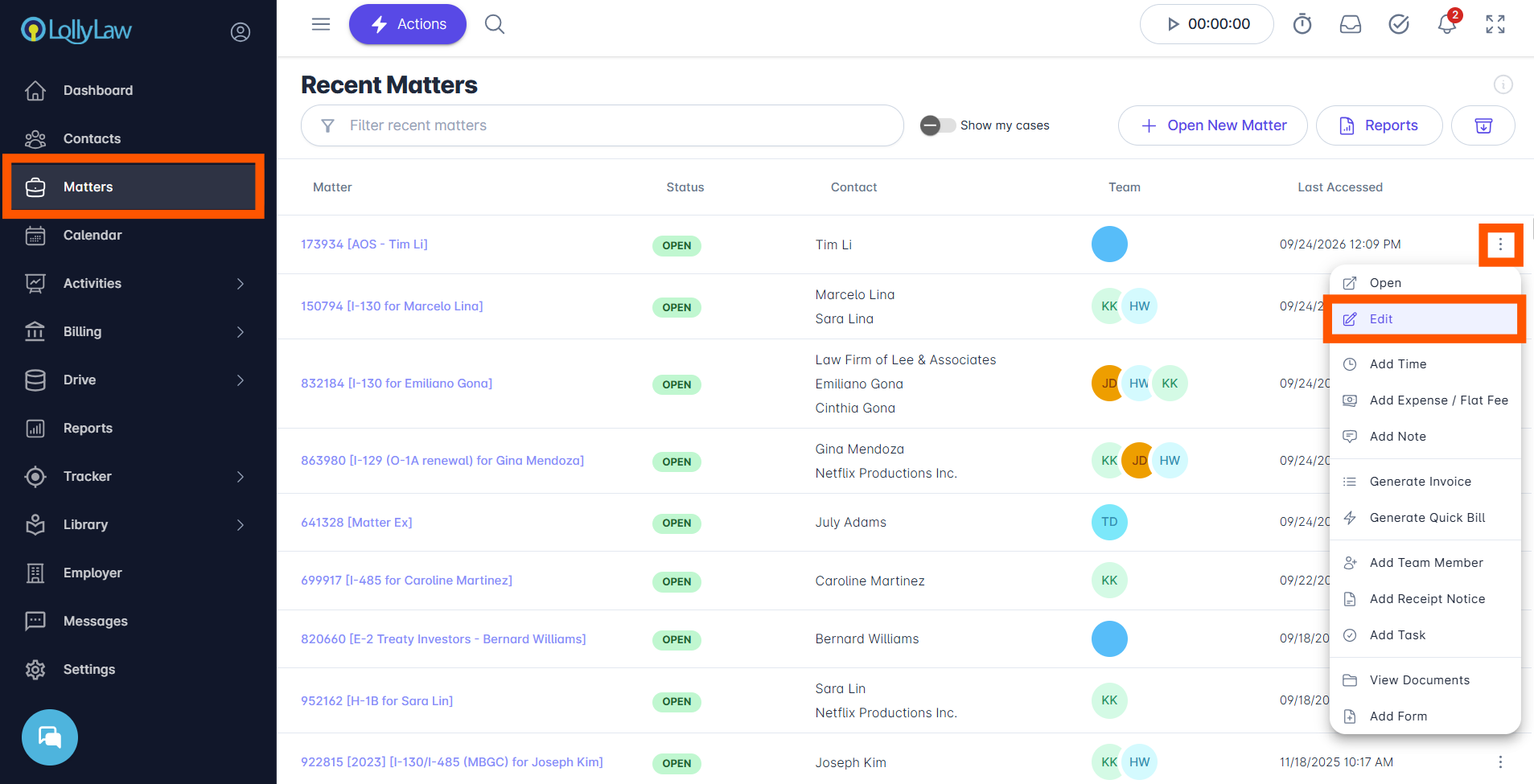
Once all activity records linked to the matter are deleted, select the Matter tab on the left side of your screen.
Click the matter menu on the right side of the Matter record you would like to delete. Then click Edit.
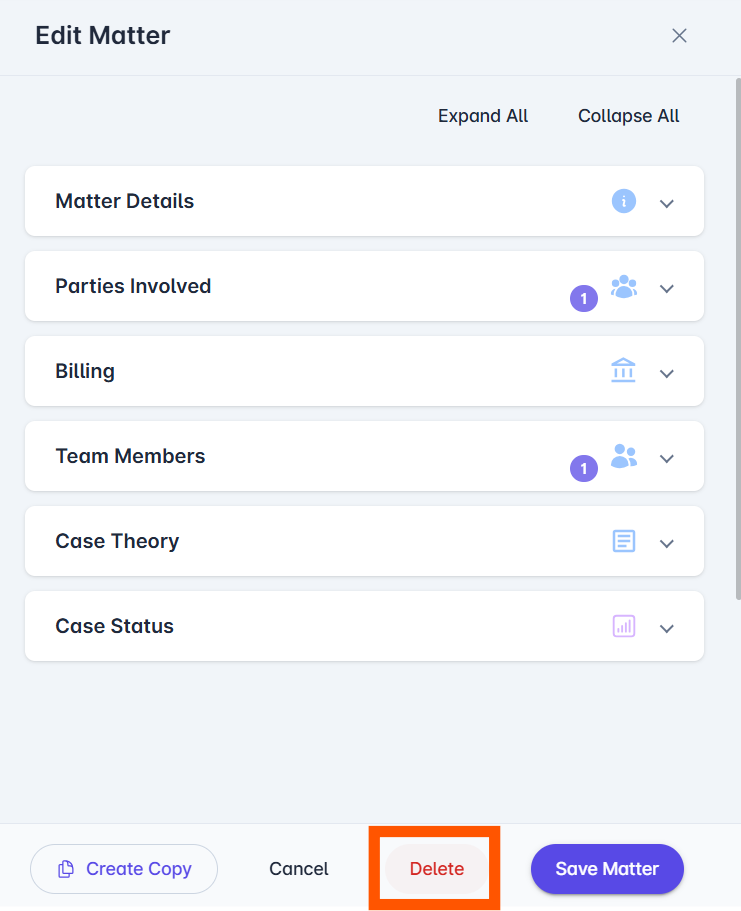
An Edit Matter drawer will open. Click Delete at the bottom of the screen. Then click the red Delete button on the pop-up window to permanently delete the matter record.
If you need additional assistance, contact our support team at support@lollylaw.com.