

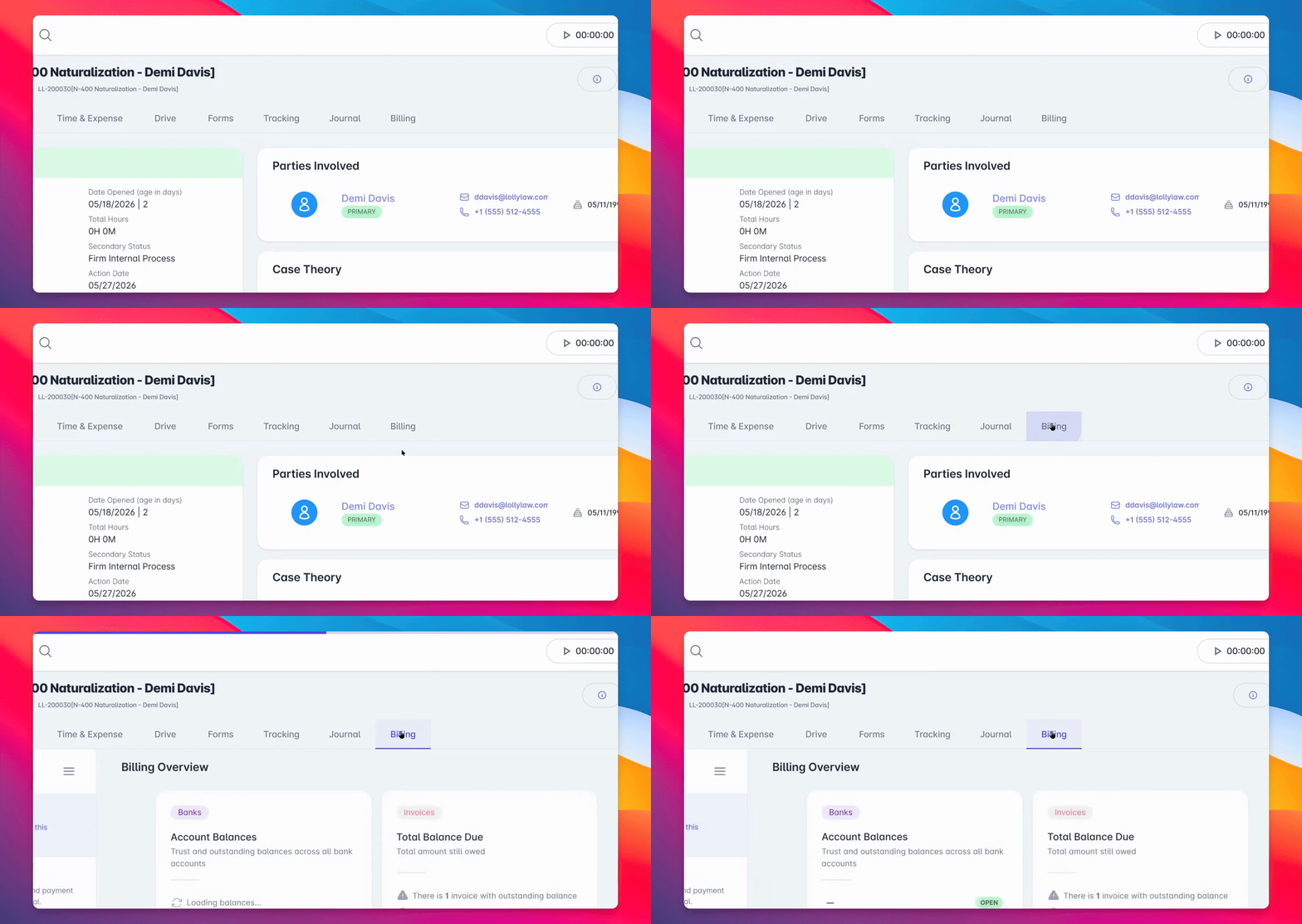
Step 1: Navigate to Billing
From the appropriate contact or matter record, navigate to the Billing tab.
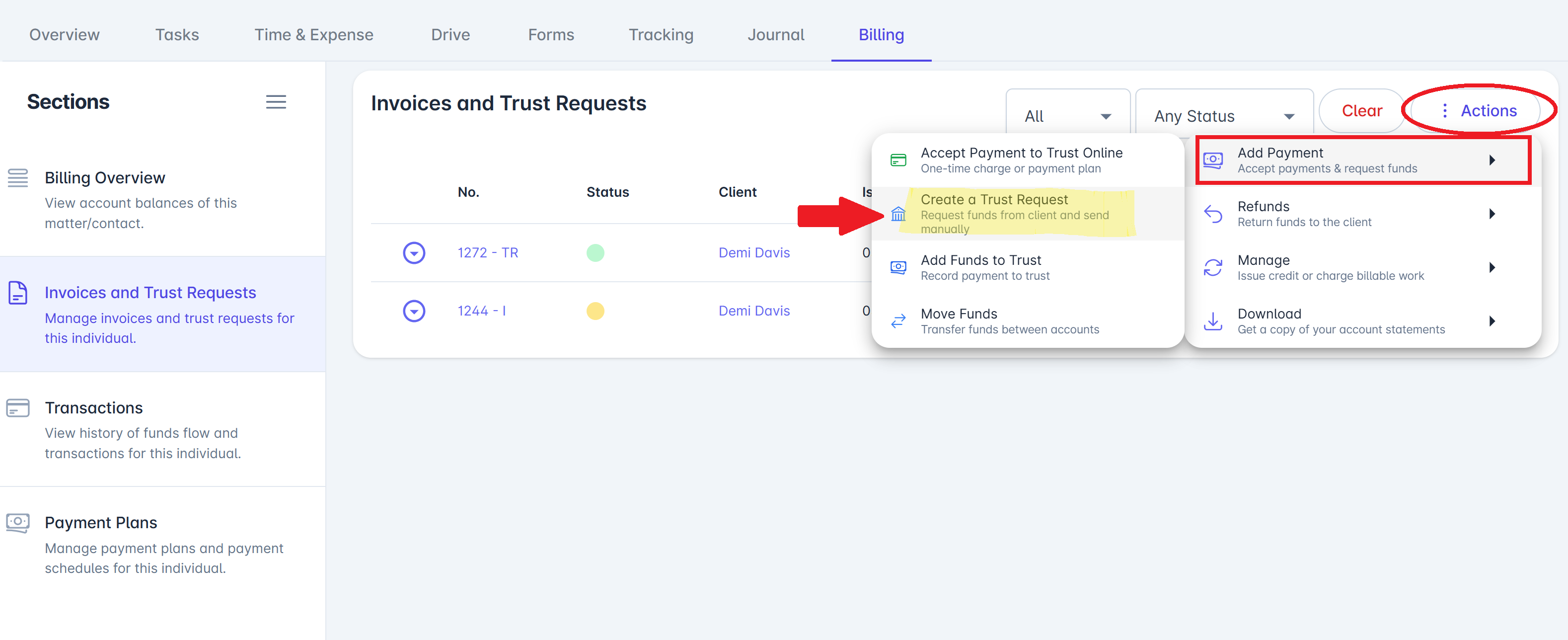
Step 2: Open the Actions Menu
From the Actions menu, select Create Trust Request (LollyPayments).
This workflow is similar to sending a bill, but payments go into the client's trust account instead of your linked operating account.
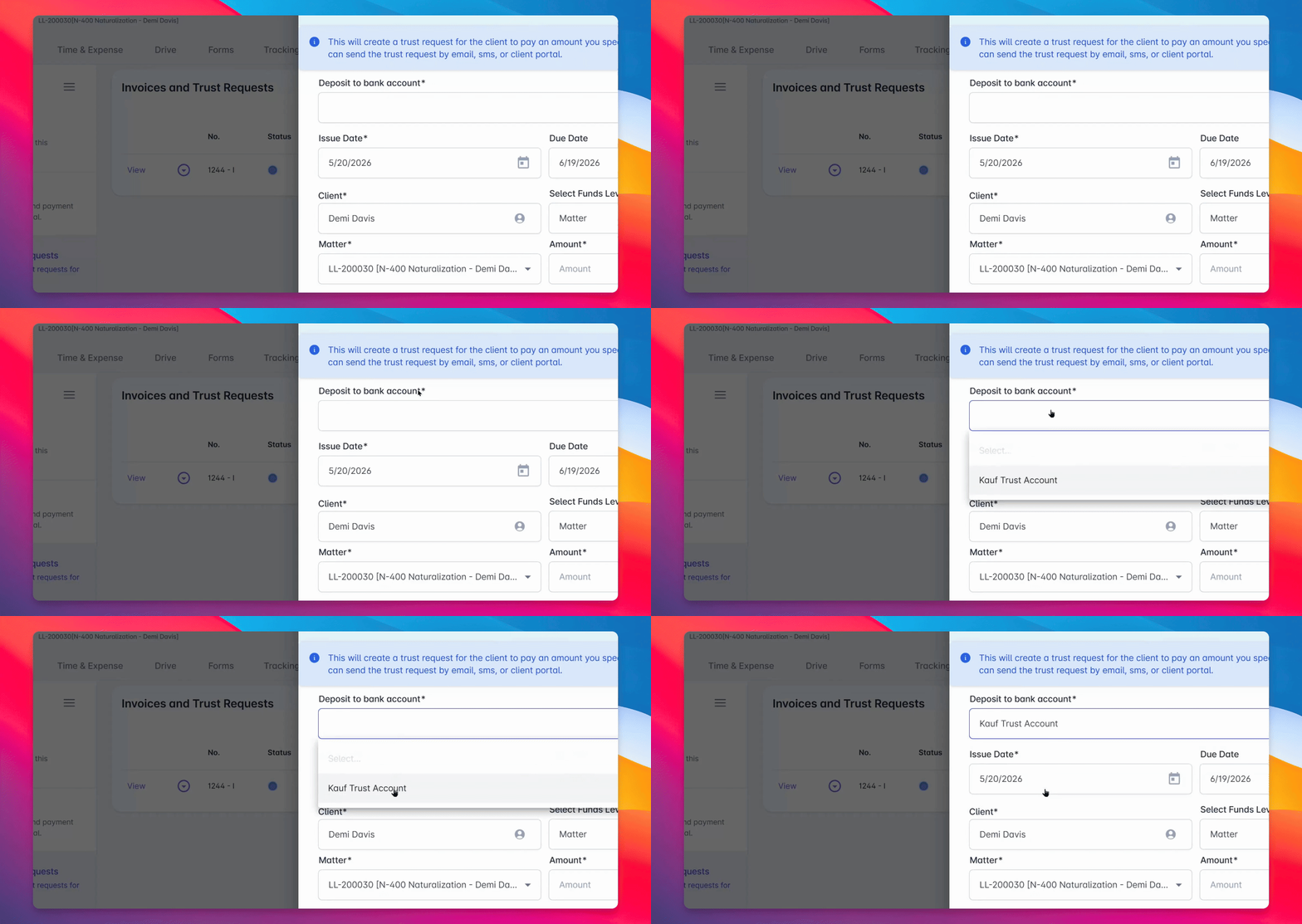
Step 3: Enter Trust Request Details
Choose the trust account where funds should be received. Next, enter the issue date, due date, and amount. You can also add a description and select a user to be notified once the trust request is fulfilled by the client under "Office Notifications."
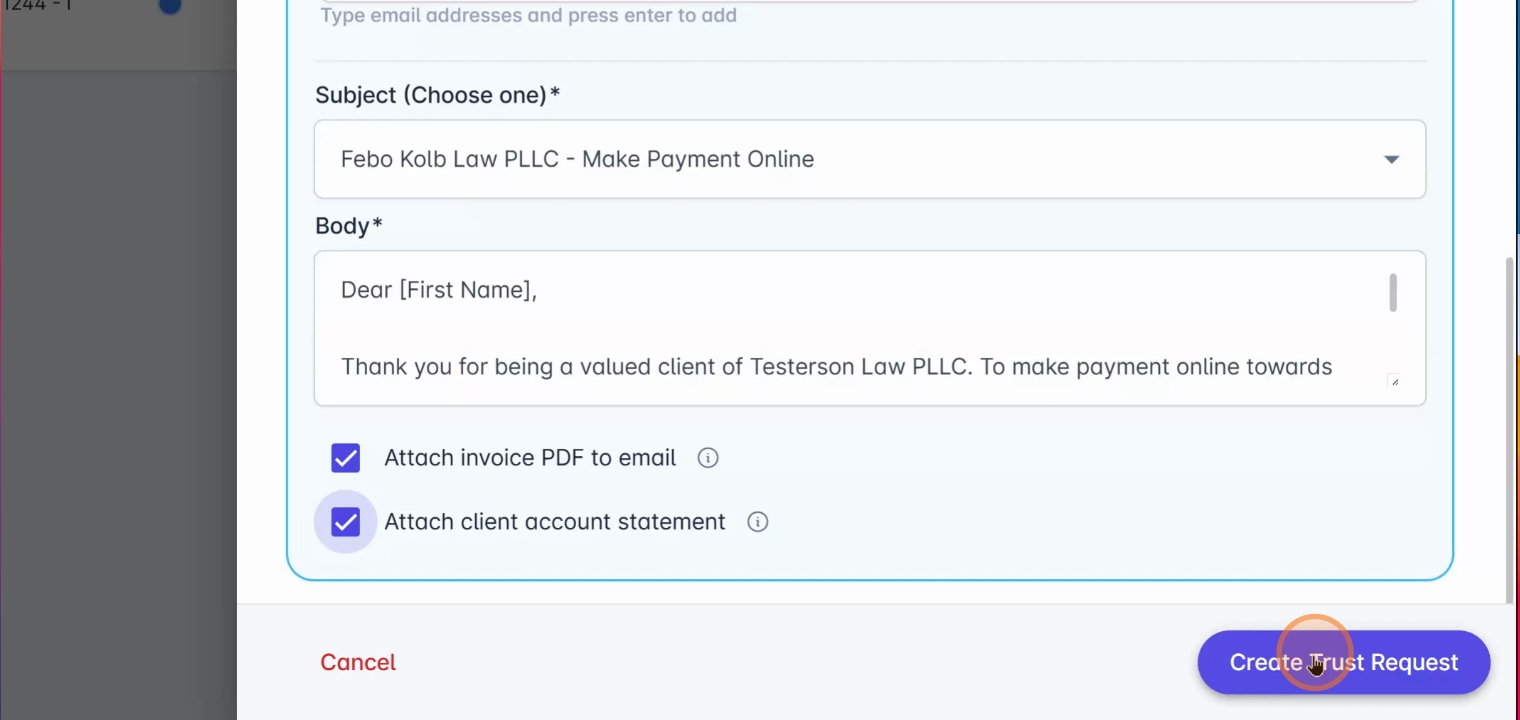
Step 4: Choose Delivery Method
Select how you'd like to send the trust request to your client.
You can share the Trust Request with your client via email or SMS.
Optionally, attach an invoice or account statement to provide additional context for your client.
Step 5: Create the Trust Request
Once all details are correct, click Create Trust Request to send it to your client.
Your client will receive a secure payment link, allowing them to submit funds online at their convenience.
With LollyPayments, trust requests are quick to create and send, helping your firm reduce administrative work and keep trust accounting organized.
For more information, visit help.lollylaw.com or contact support@lollylaw.com.