

There are two ways to view and manage Consultations within your LollyLaw account.
Consultations Within a Contact Record
Consultations can be viewed and managed directly within a Contact record.
To access consultations within a Contact record:
Go to the contact’s the Snapshot tab. The Consultations card displays a list of all consultations associated with the contact.
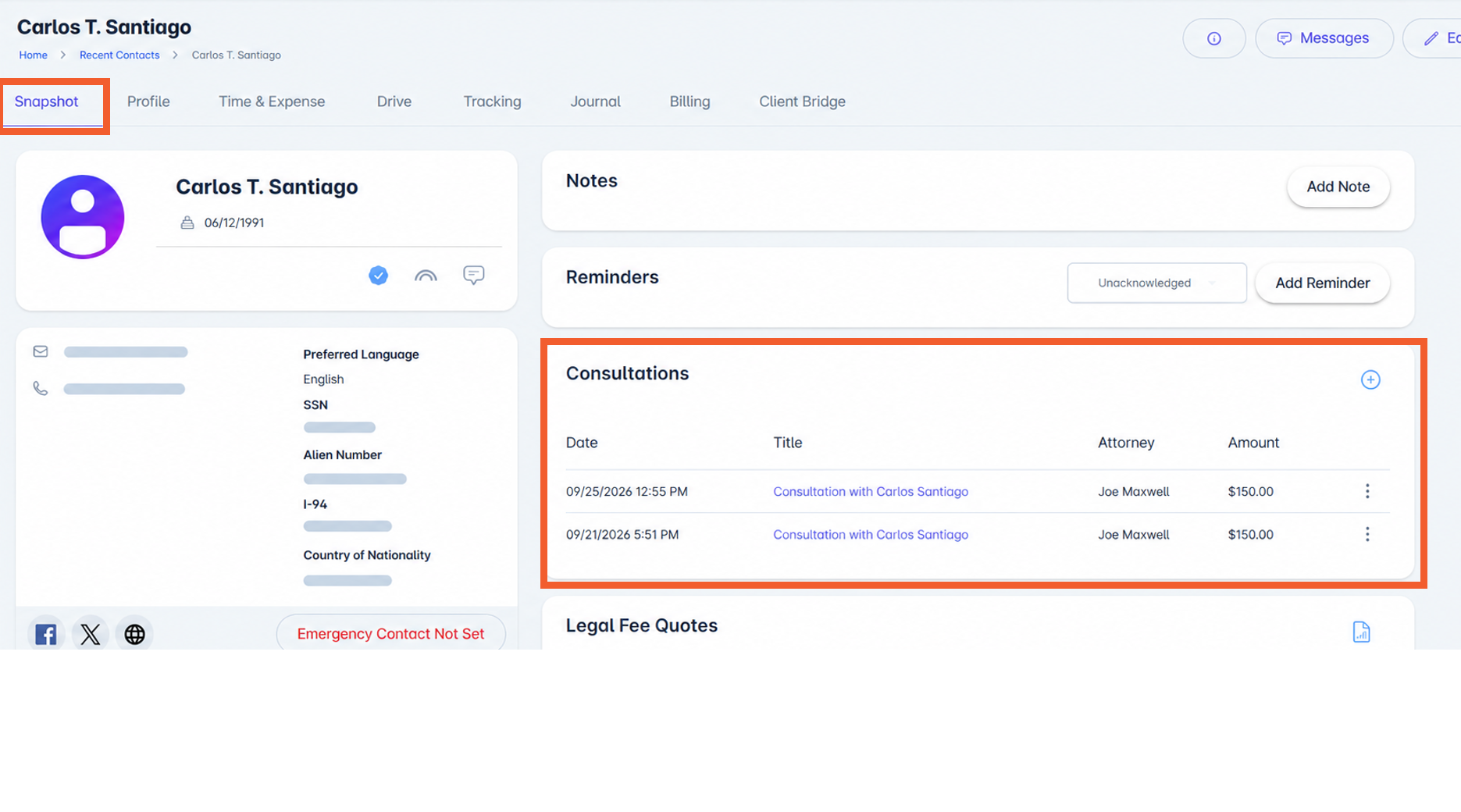
Clicking on one of the consultations will open the consultation in a popup window. Here, users can view the consultation details along with the consultation notes.
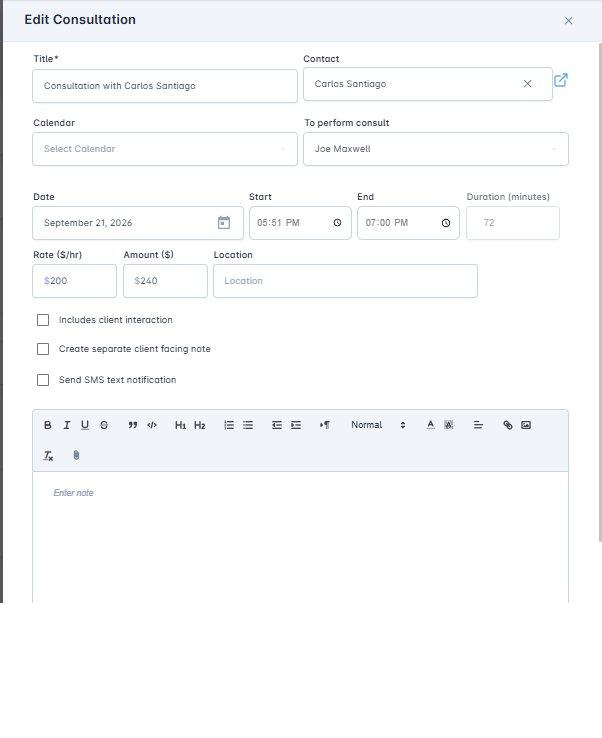
Within a consultation, users can:
Enter notes directly into the note field
Draft a separate client-facing note
Attach documents (such as a Word file)
Use the microphone feature to dictate notes, which are automatically transcribed
Once saved, consultations remain accessible at any time from the Consultations card within the contact record.
Consultations Report
To view all consultations across your system:
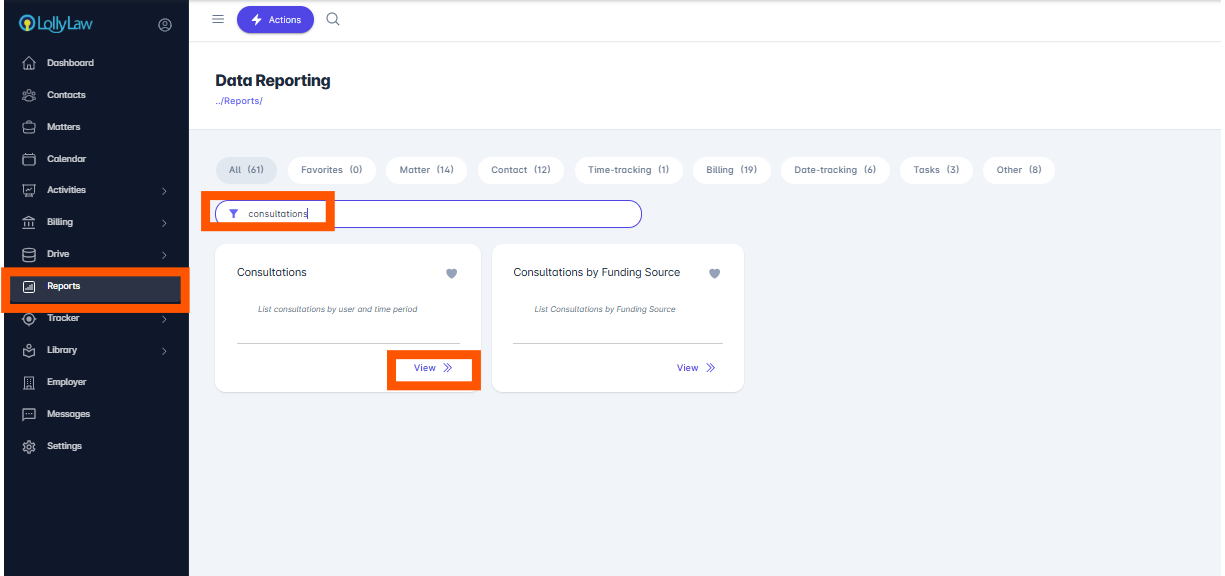
Navigate to Reports > Consultations. You will have to type in “Consultations” in the search field to bring up the card.
Expand the Filter pane to enter the Contact, Created by User, Assigned To User, Funding Source, or Date Range you would like to view consultations for. Click Apply
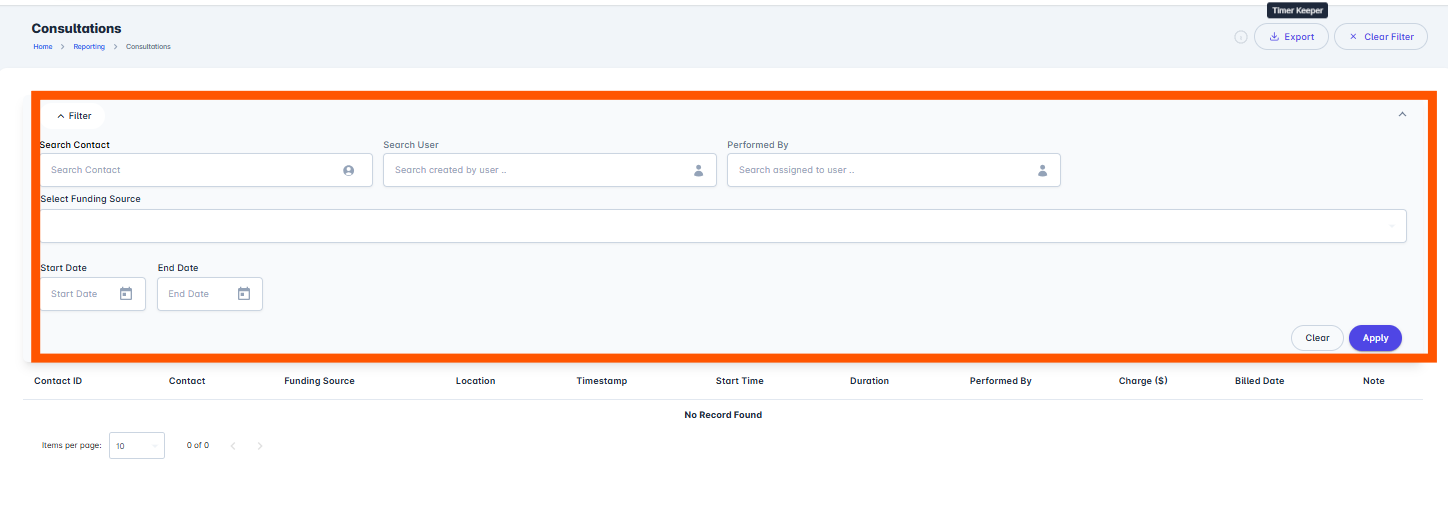
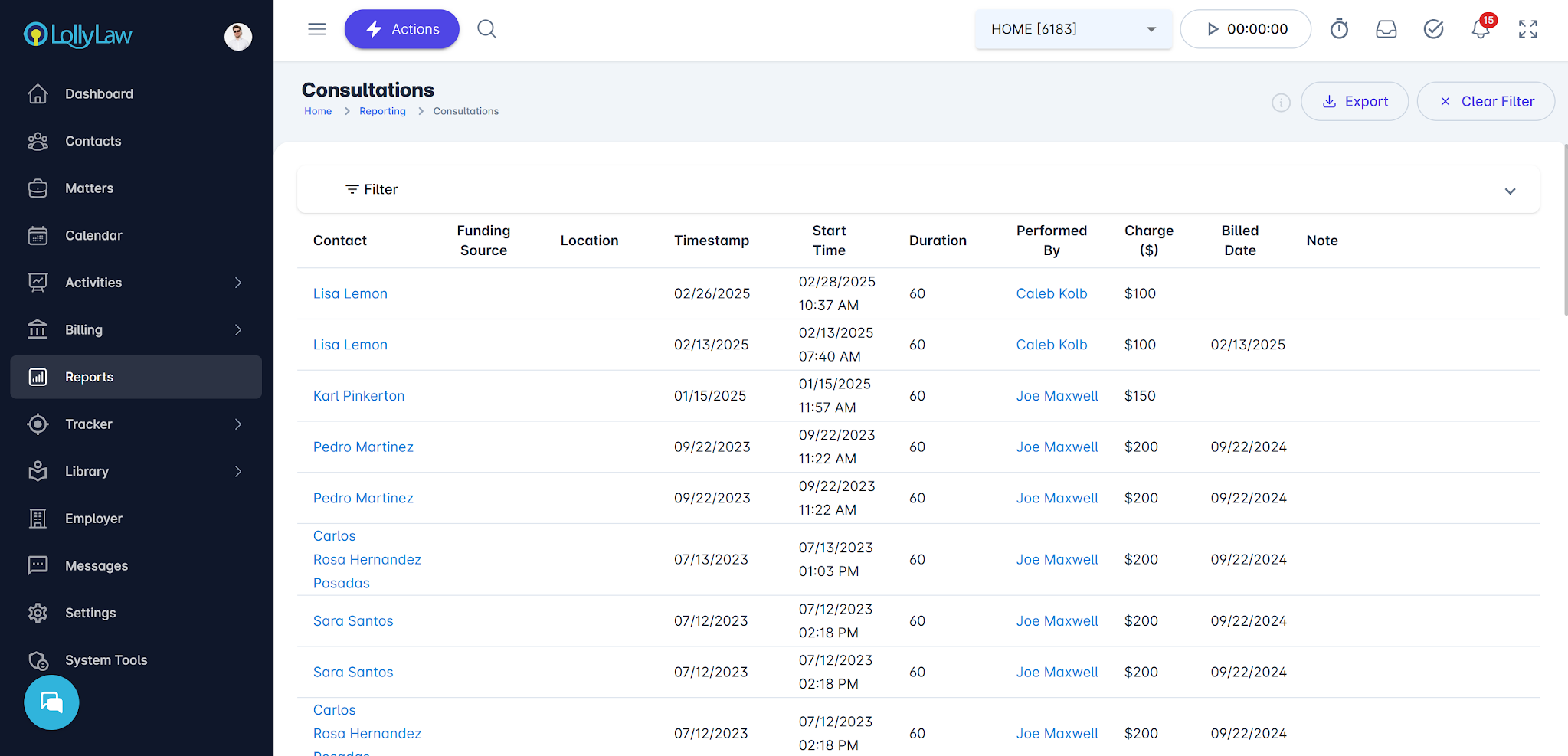
From this report, users can:
View all saved consultations
Apply filters by date range or specific contact
This is how consultations are created, viewed, and managed in LollyLaw.
If you need additional assistance, refer to related articles, watch the video at the top of this page, or contact our support team at support@lollylaw.com.