
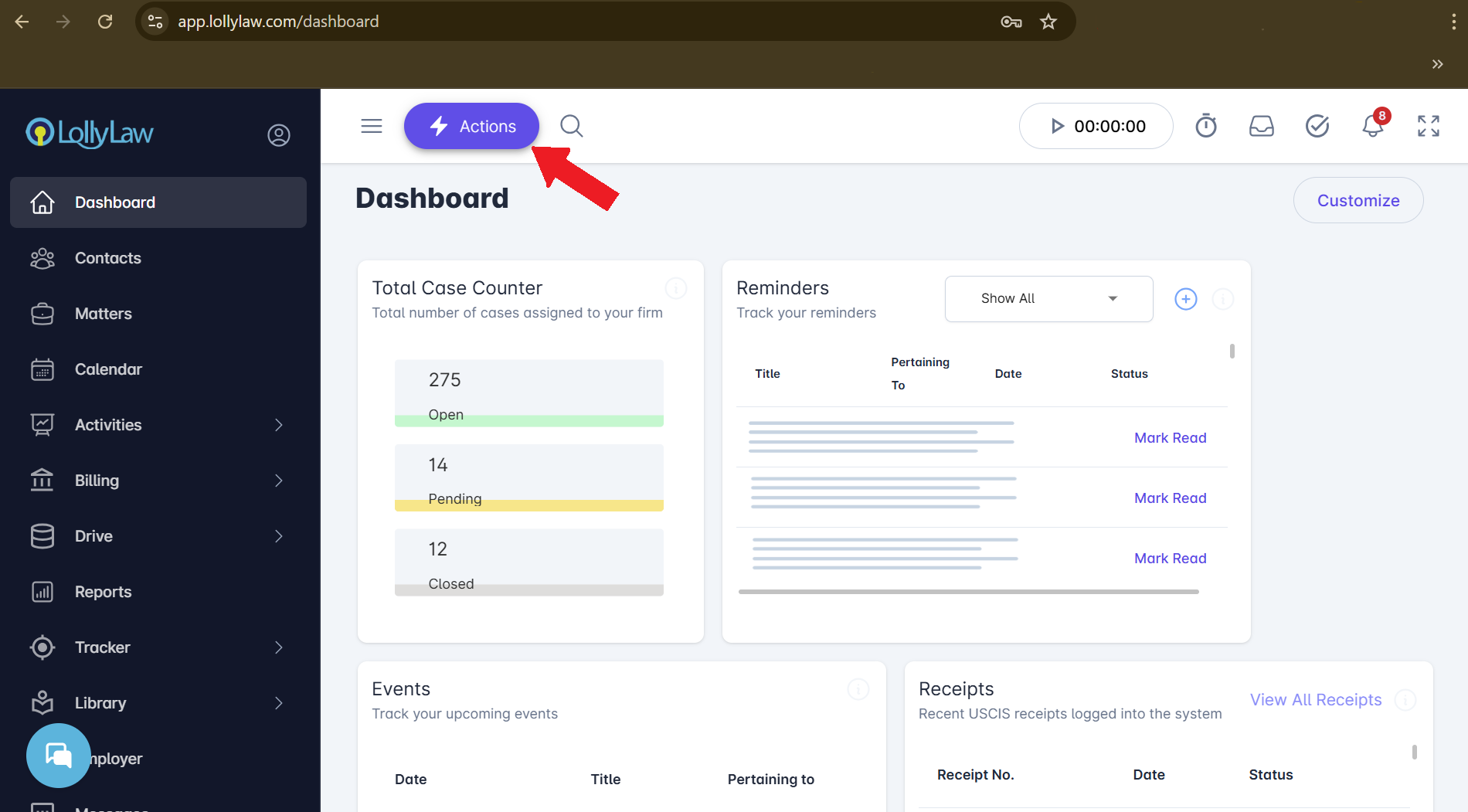
Step 1: Actions > Open New Matter
Click the Actions button located on the left side of the top navigation bar, and select Open New Matter.
Step 2: Enter Matter Details
In the Open New Matter drawer, complete the required and relevant fields. The more information you add now, the easier it will be to manage the matter later. Key fields include:
Matter Name
Enter a clear, descriptive name for the matter.Parties Involved
Add clients, opposing parties, and any other relevant contacts.Billing
Select the appropriate billing structure (e.g., hourly, flat fee, milestone, pro-bono).Assignments
Assign team members who will be working on the matter.Case Theory
Provide a summary or strategic overview of the case.
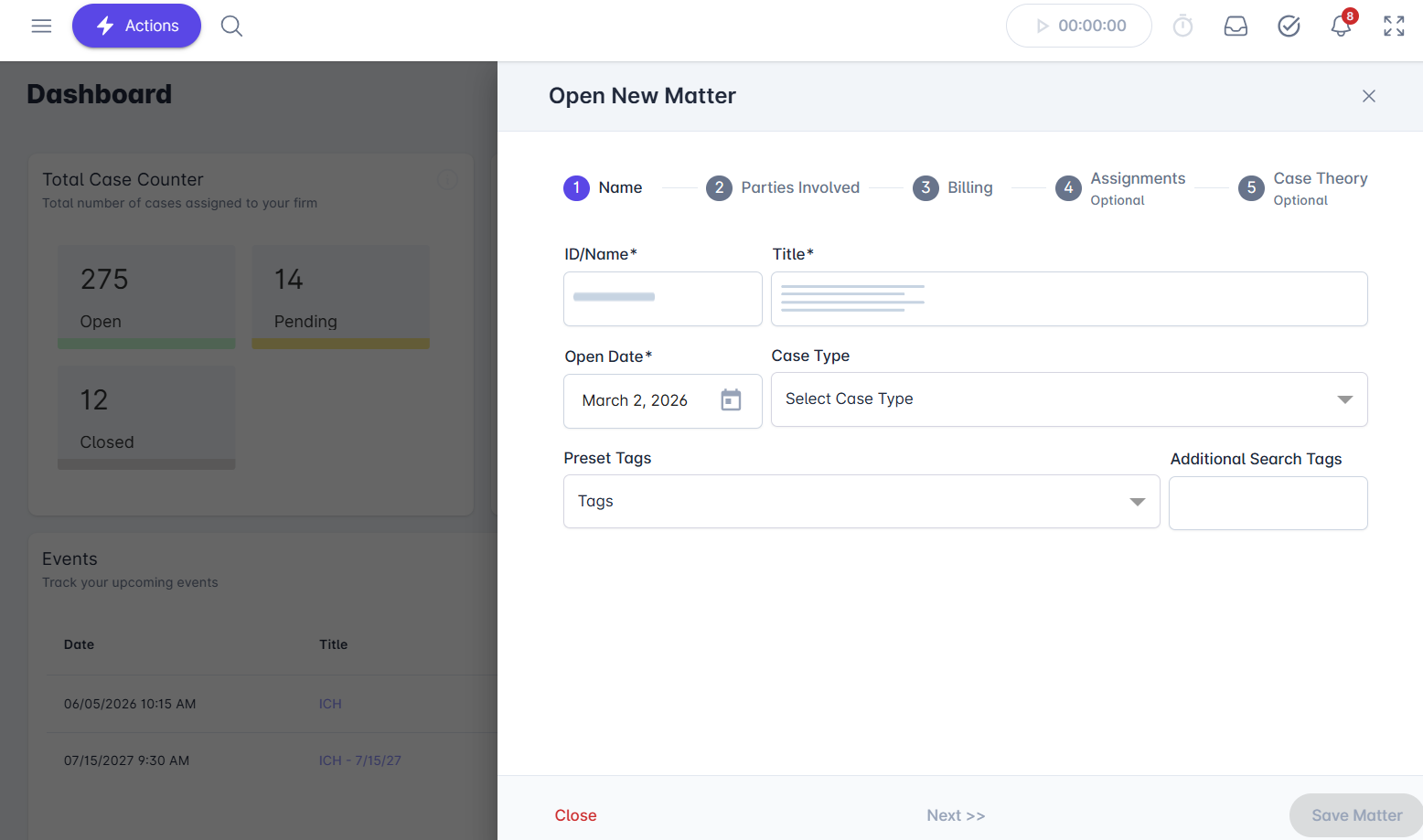
After completing the necessary information, click Save.
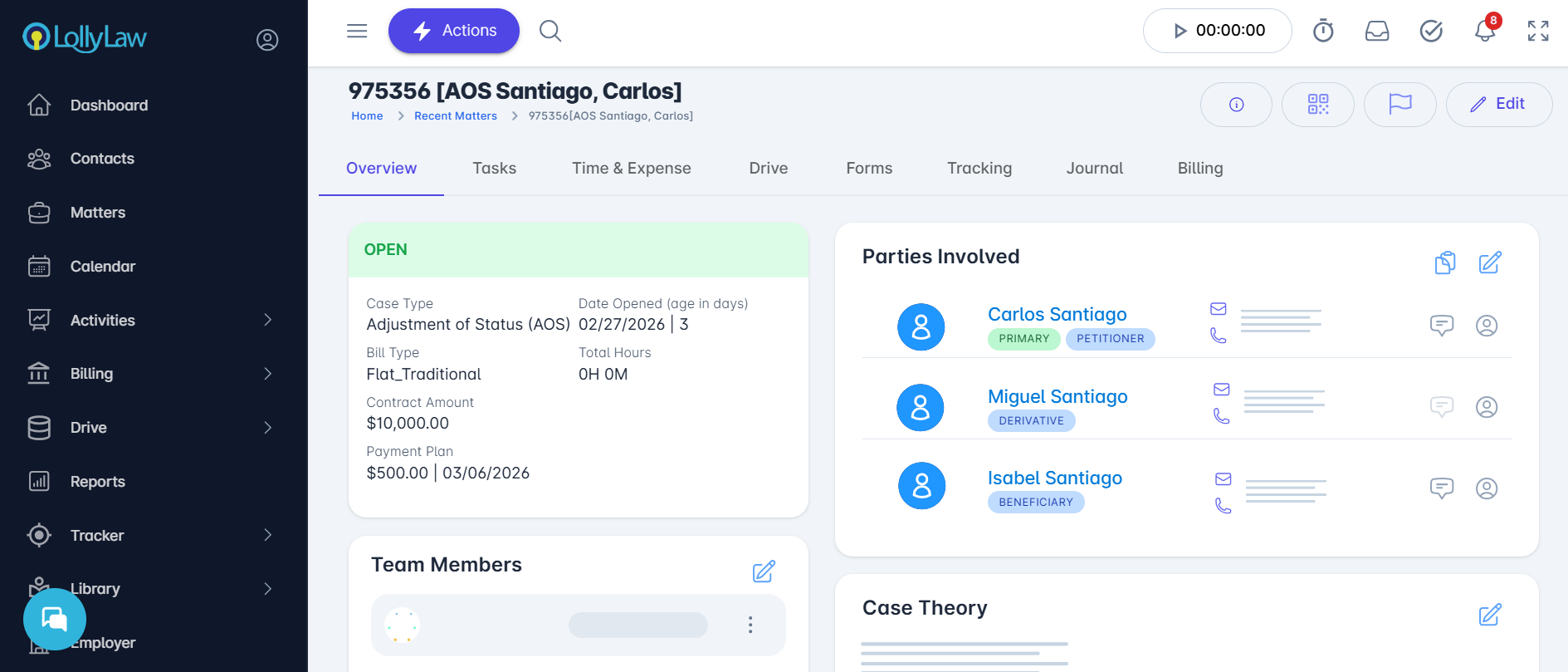
Step 3: Review the Matter Overview Tab
Once saved, you will be automatically redirected to the Overview tab for the new matter.
The Overview tab displays key information about the matter, including:
Case Type
Date Opened
Bill Type
Contract Amount
Parties Involved
Team Members
Case Theory
From here, you can continue building out the matter by adding documents, tasks, time entries, and more.