

This guide explains how to apply trust funds towards an open invoice. Managing trust balances ensures payments are accurately allocated within each matter. Let's look at the steps:
Step 1: Navigate to Billing
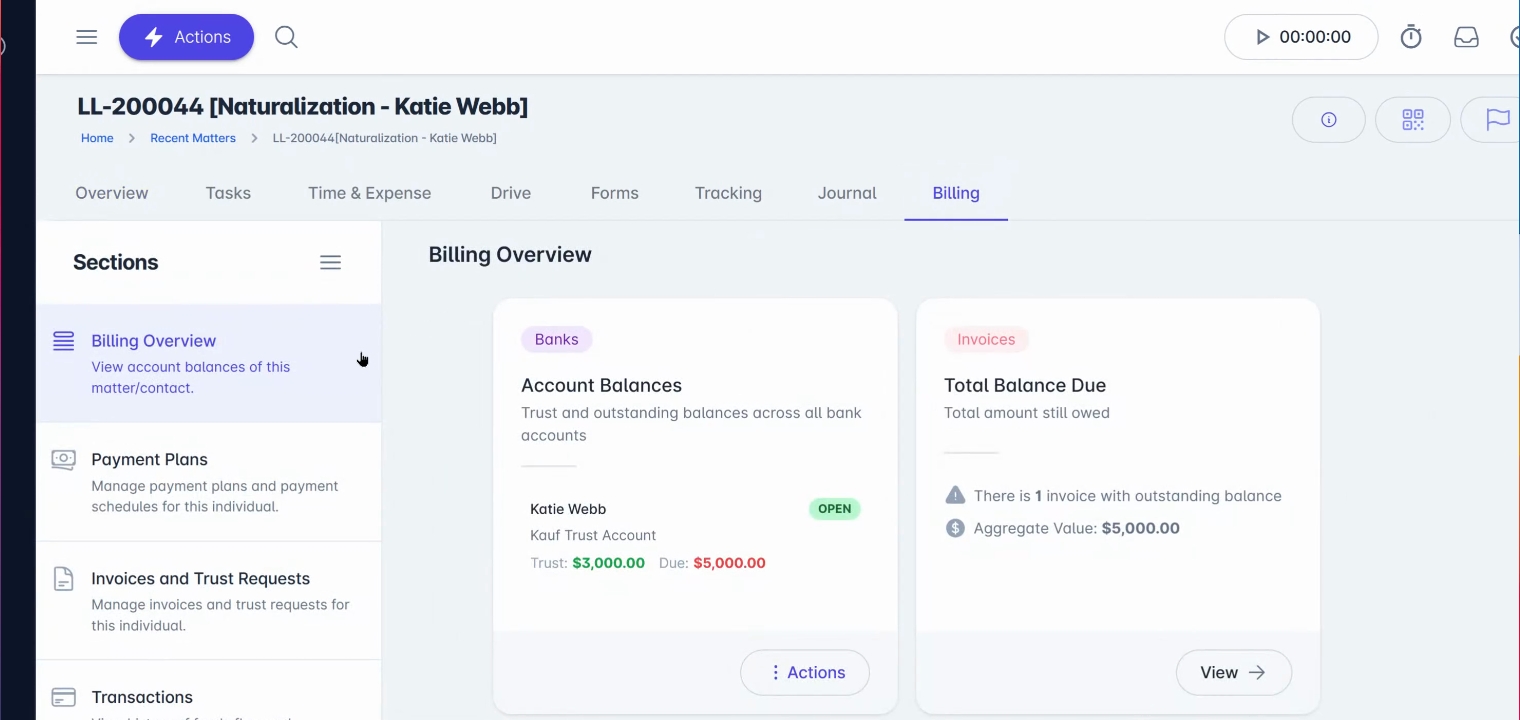
Open the relevant Contact or Matter record and navigate to the Billing tab.
In the Billing Overview section, you can review the client's available trust balance from the Account Balances card.
Step 2: Locate the Open Invoice
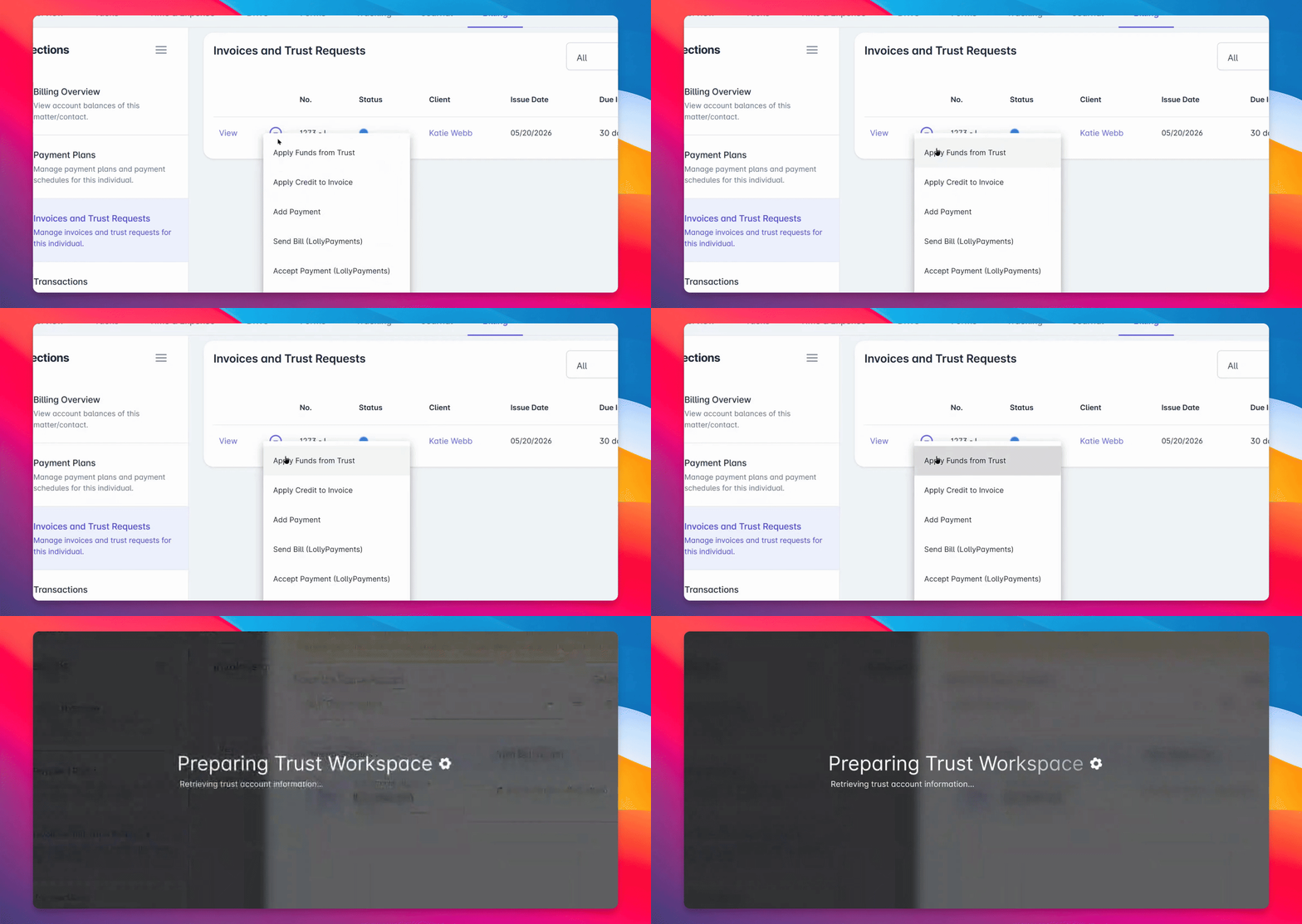
Navigate to Invoices and Trust requests and locate the open invoice you wish to pay using trust funds.

Step 4: Apply Funds from Trust
Open the invoice Action menu and select Apply Funds from Trust.
Step 5: Confirm Accounts
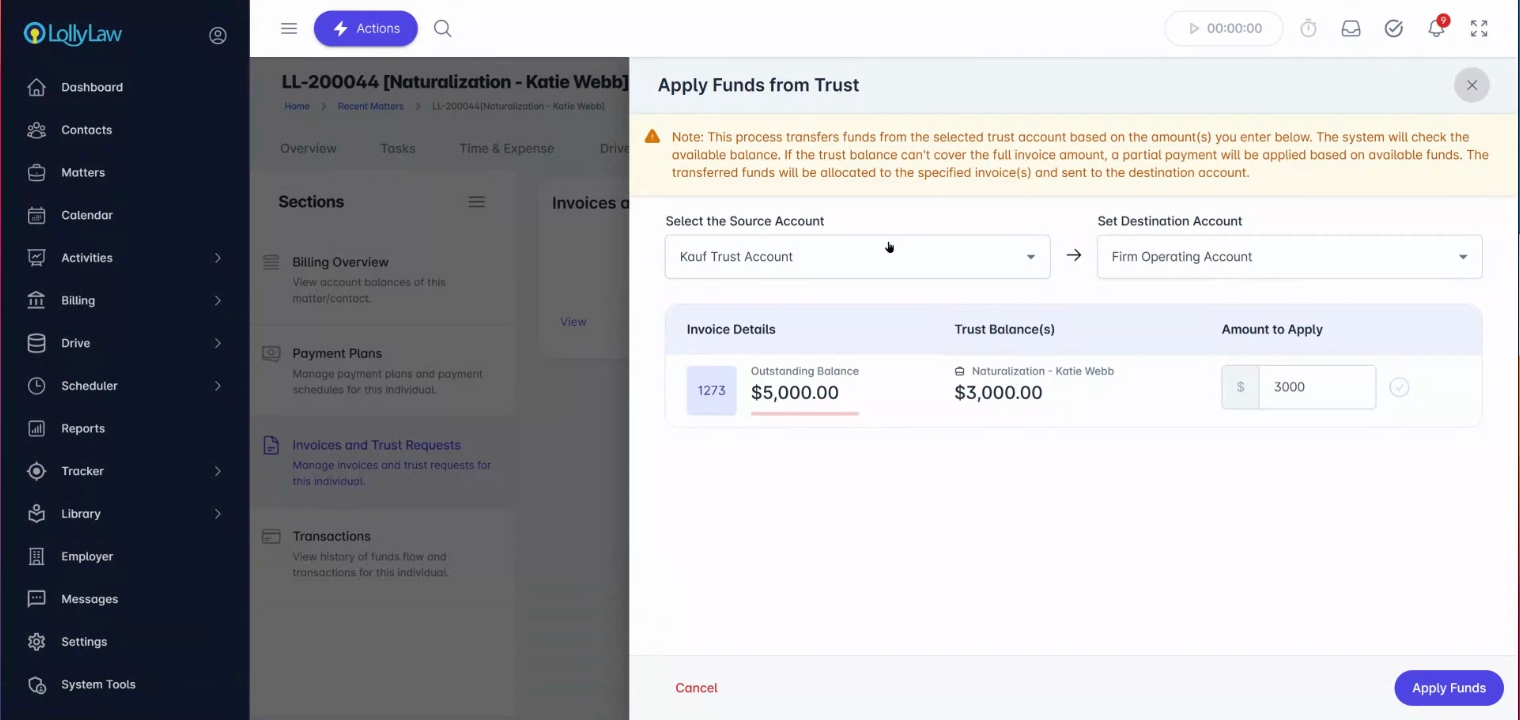
Confirm the source account (trust) and the destination account where funds should be applied.
Step 6: Enter Amount to Apply
Enter the amount to apply towards the invoice. You can apply the full amount, or a partial amount.
Step 8: Apply Funds
Once all information is confirmed, click Apply Funds to complete the process.
Step 9: Review Transaction Activity
Review the updated transaction activity in the Transactions section of the Billing tab to verify the payment was applied.