

You can complete questionnaires in the Client Bridge Portal by logging in to your account or by using a direct link provided by your attorney or case manager.
Complete a Questionnaire by Logging In
Use these steps if your attorney or case manager provided you with a Client Bridge Portal username and password.
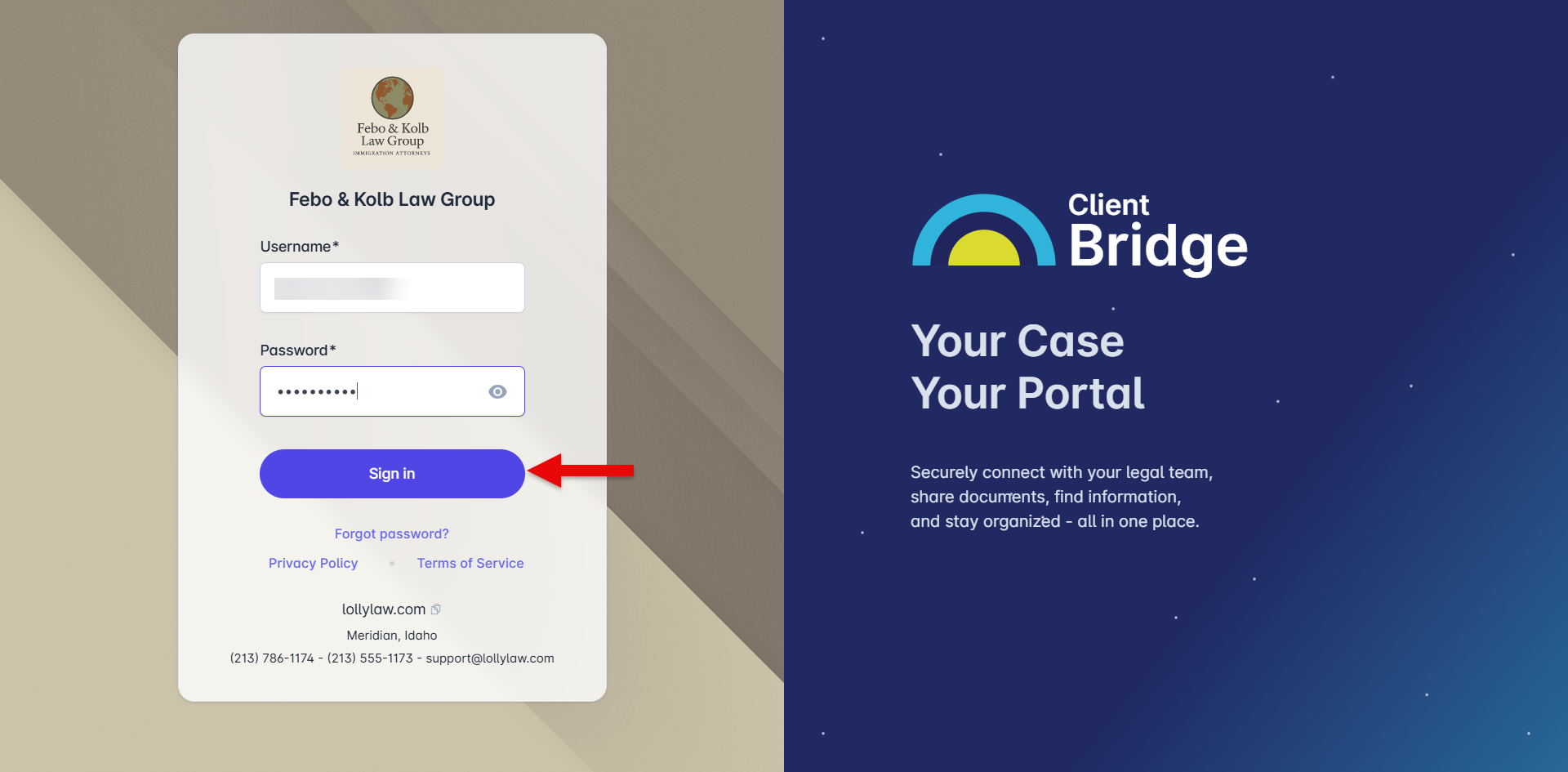
Log in to the Client Bridge Portal.
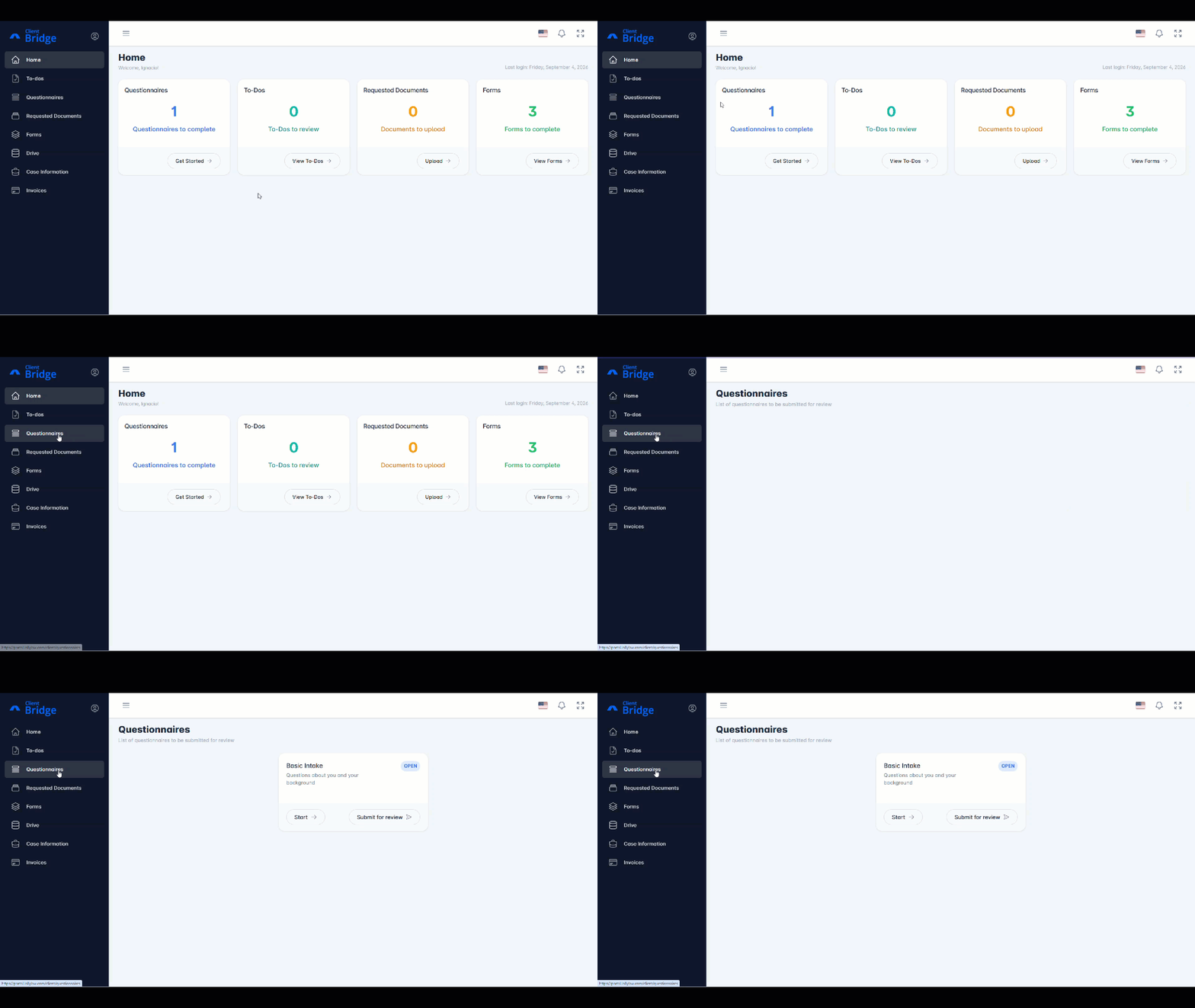
Select Questionnaires from the left-hand menu.
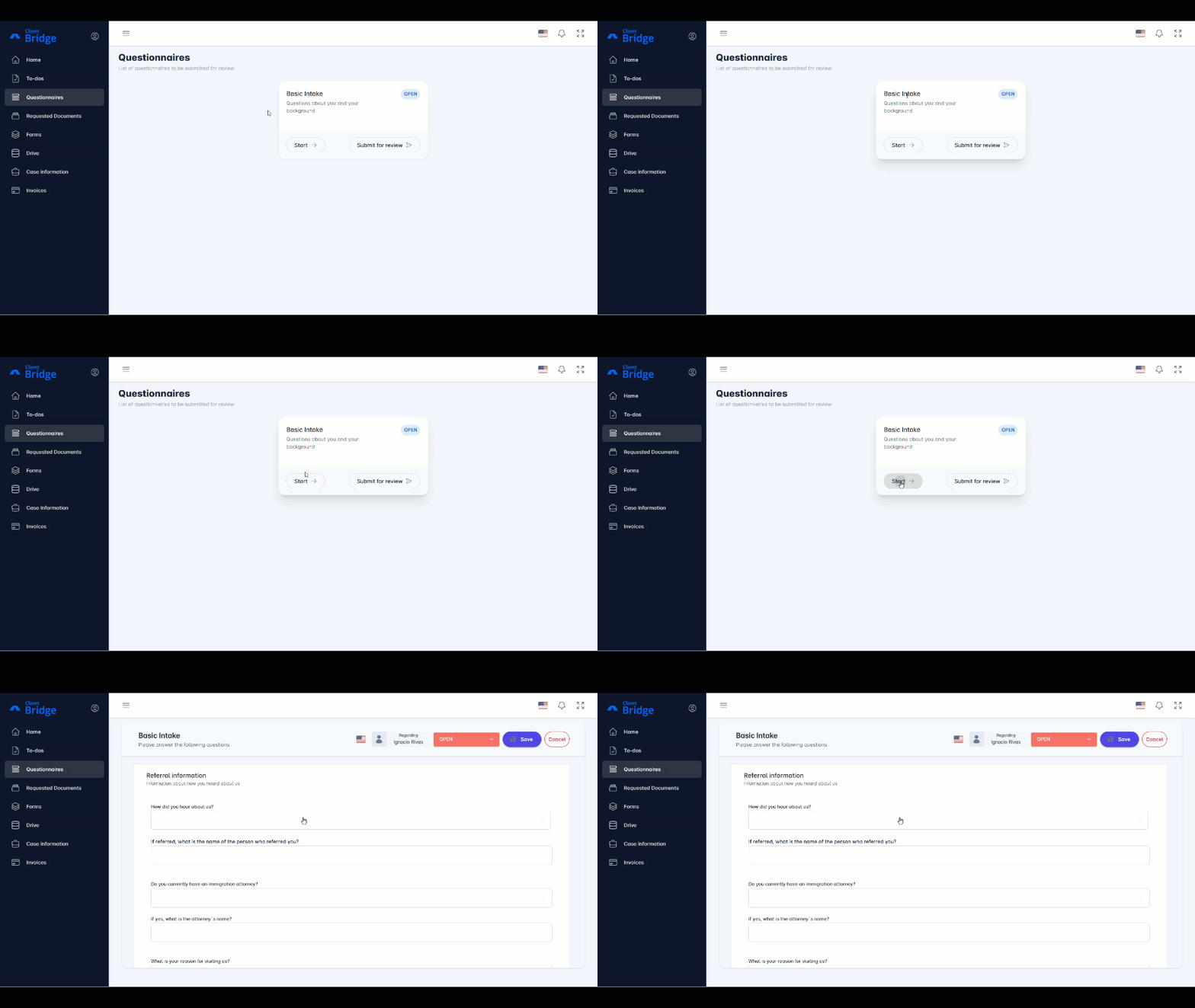
Locate the questionnaire you need to complete, then select Start.
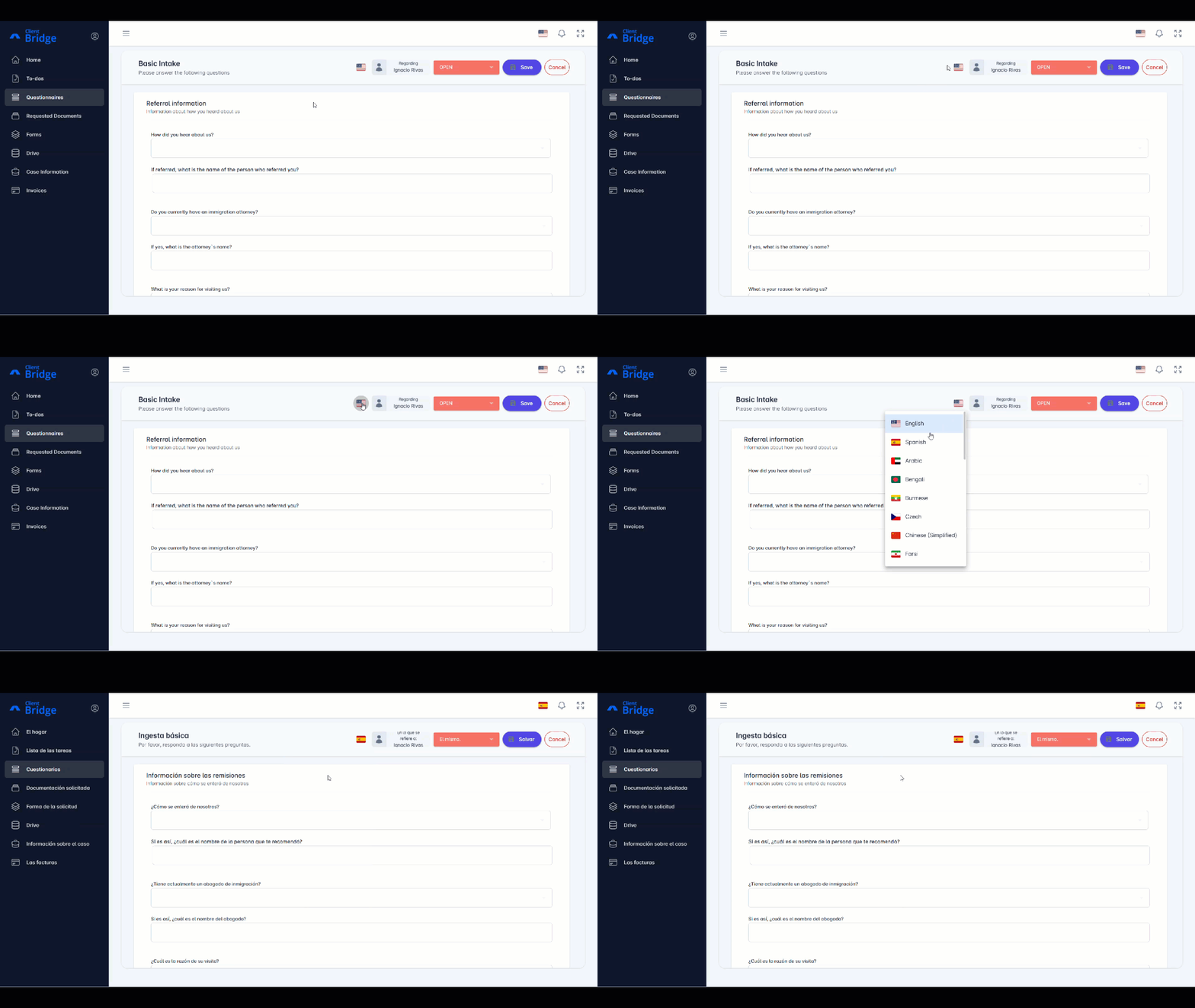
Optional: To translate the questionnaire, select the flag icon, then select your preferred language.
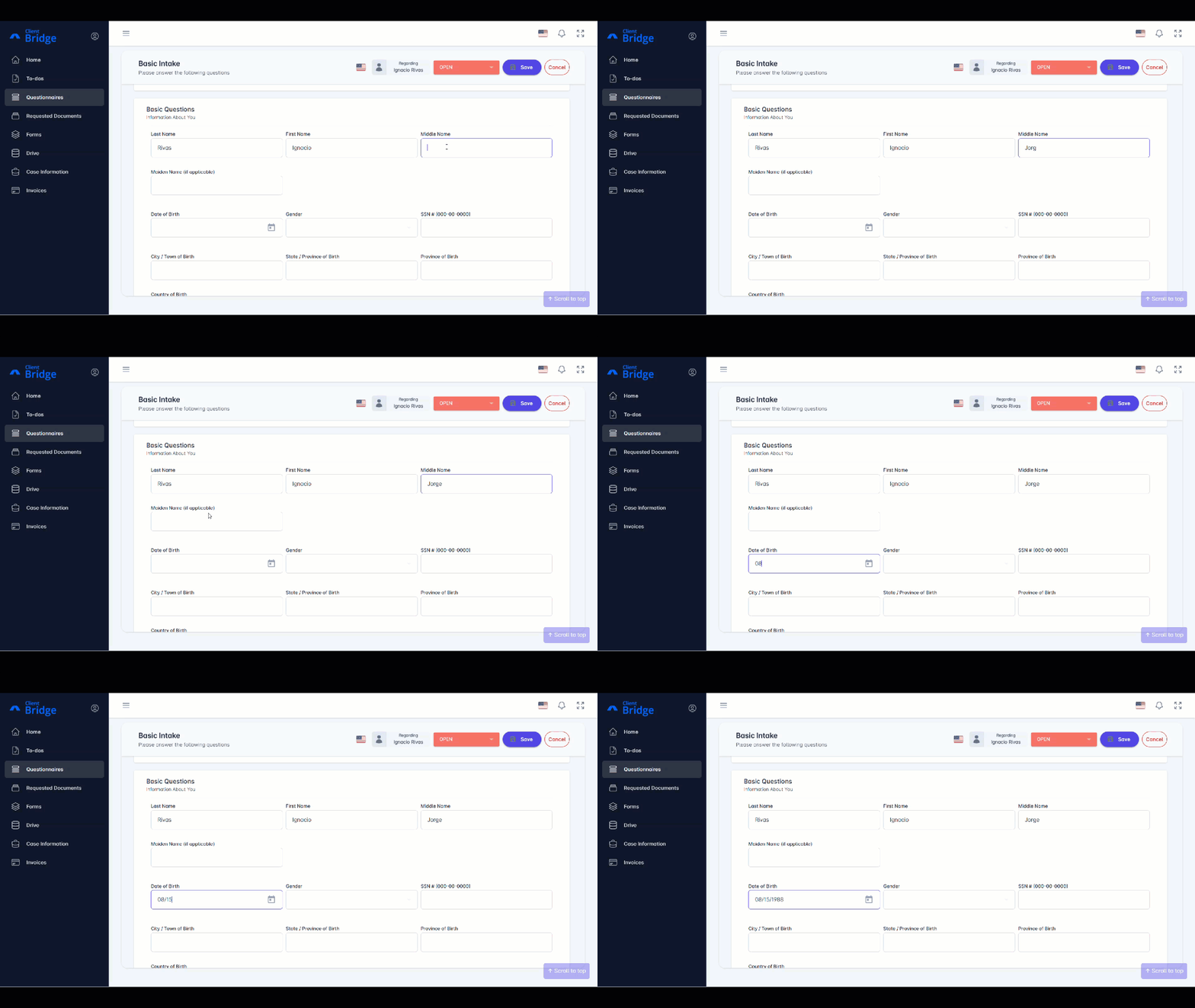
Answer each question with information about you.
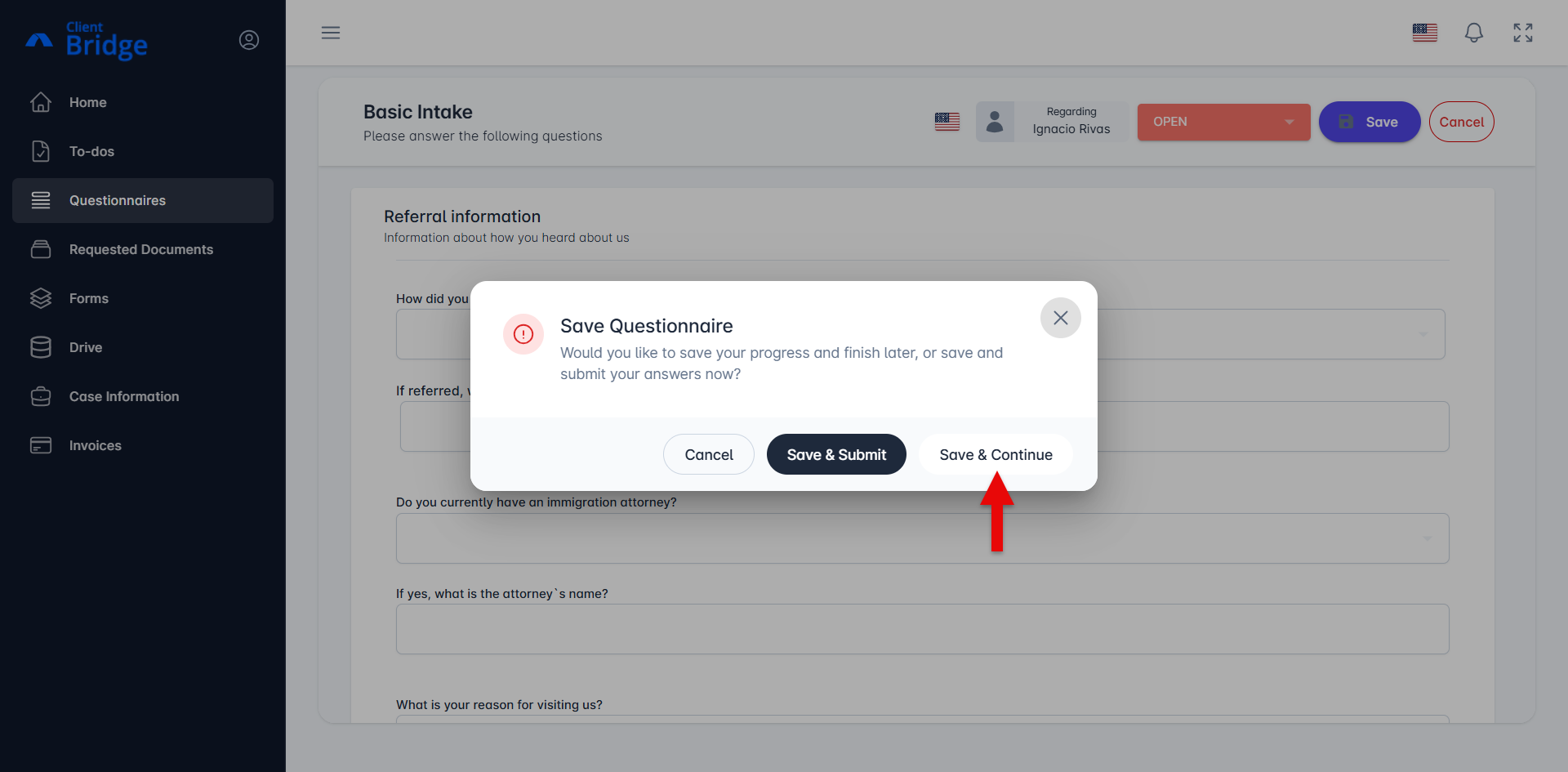
To save your progress and continue later:
Select Save.
Select Save & Continue.
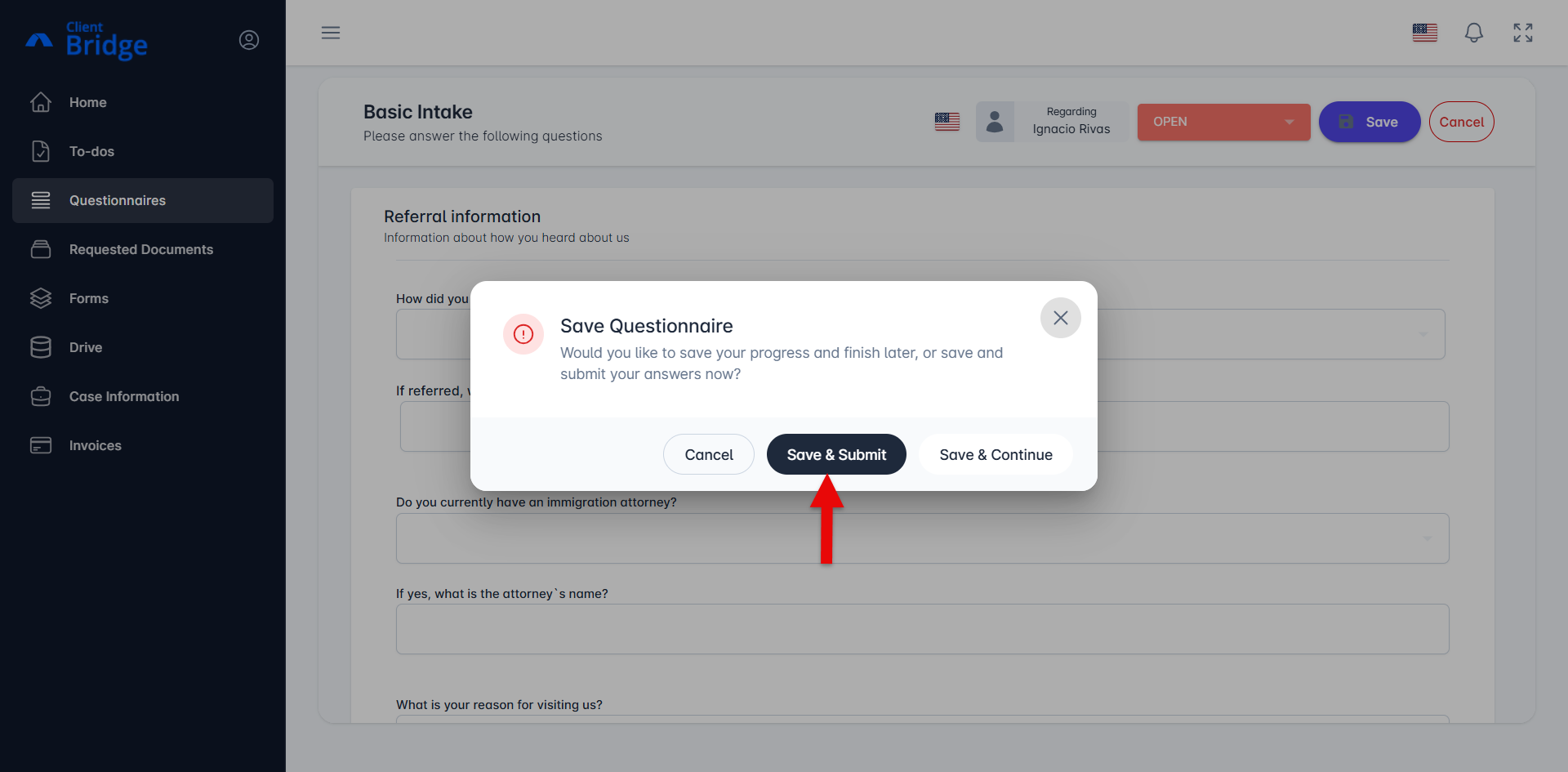
To submit the completed questionnaire to your attorney or case manager:
Select Save.
Select Save & Submit.
Review the message about sharing your answers digitally, then select Confirm.
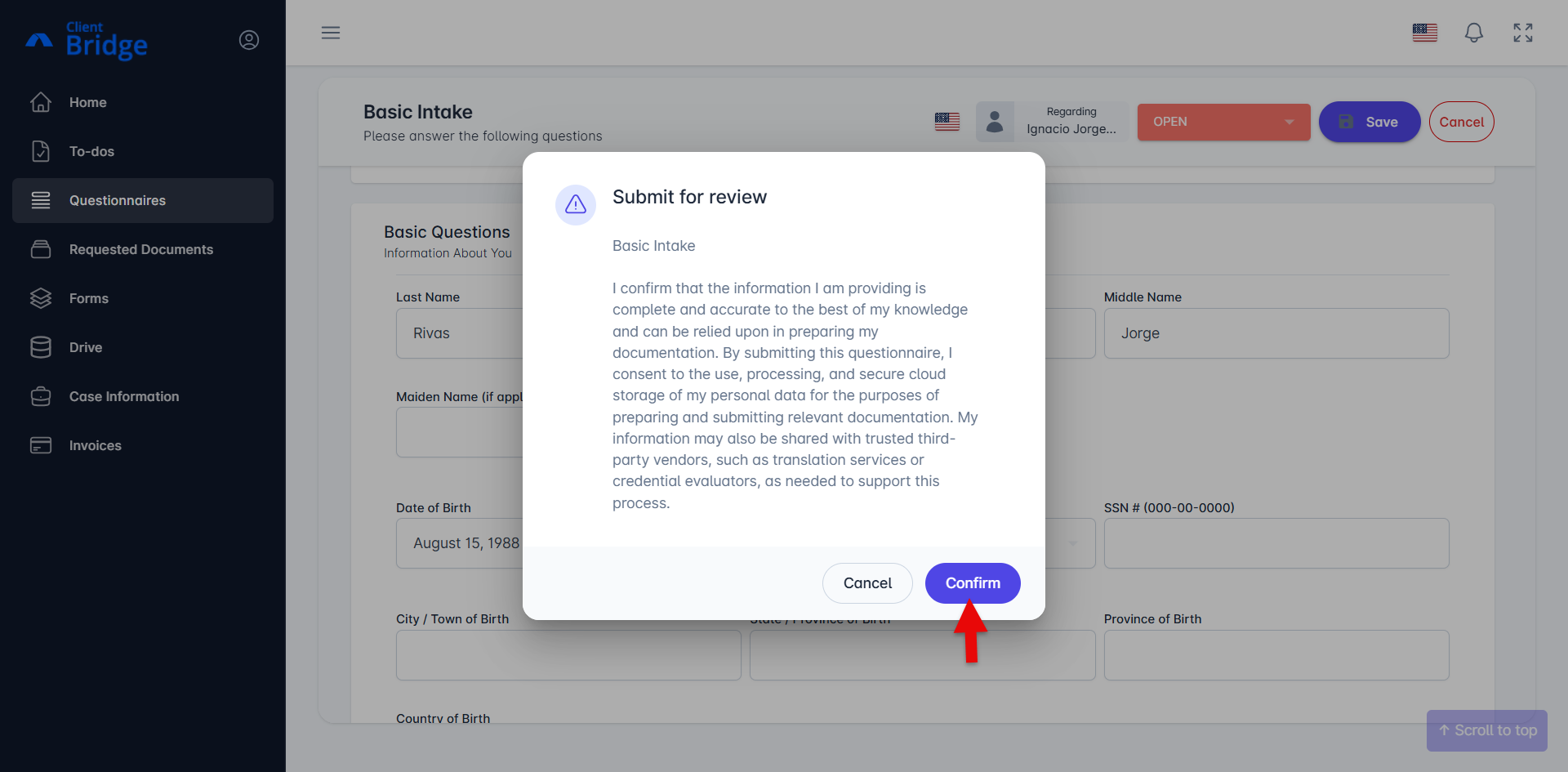
Your answers will be submitted to your attorney or case manager for review.
Complete a Questionnaire Using a Direct Link
Use these steps if your attorney or case manager provided you with a direct link to a questionnaire.
Select the questionnaire link provided by your attorney or case manager. You can also copy and paste the link into your web browser.
The questionnaire will open in a new window. You can complete and save the questionnaire without logging in.
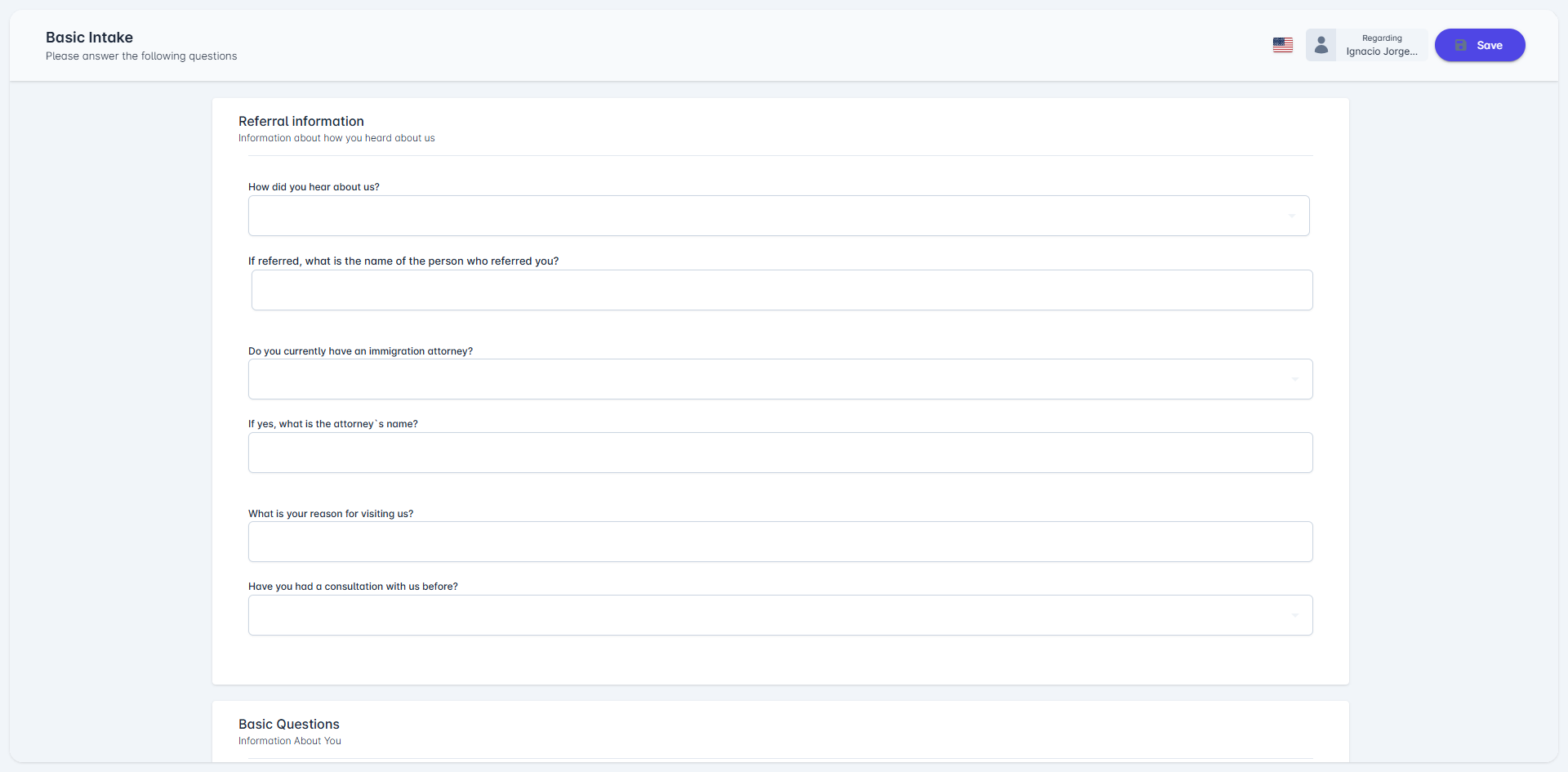
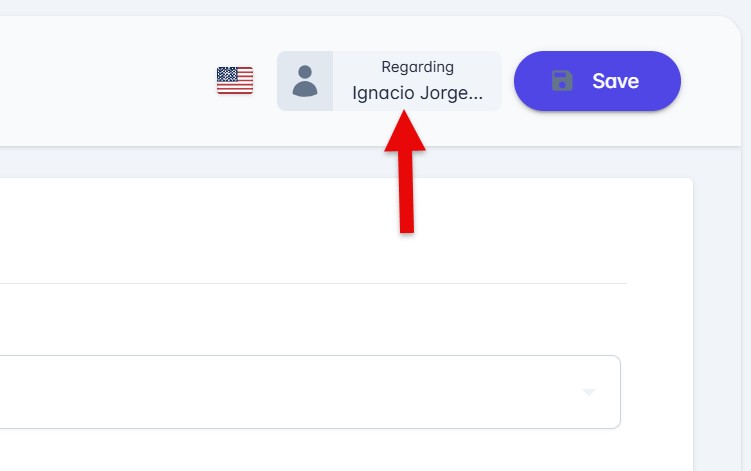
Make sure your name appears in the top-right corner of the page.
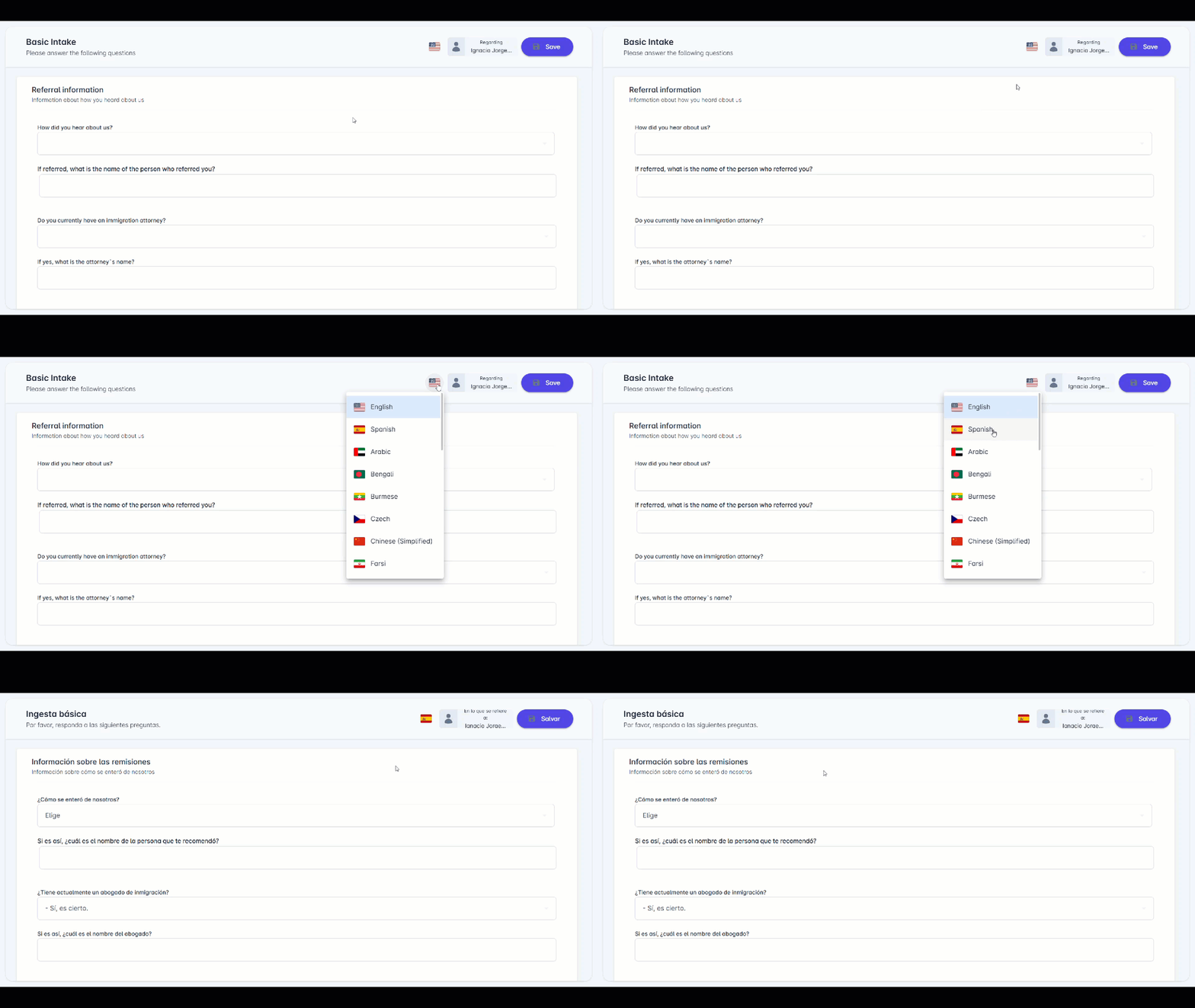
Optional: To translate the questionnaire, select the flag icon, then select your preferred language.
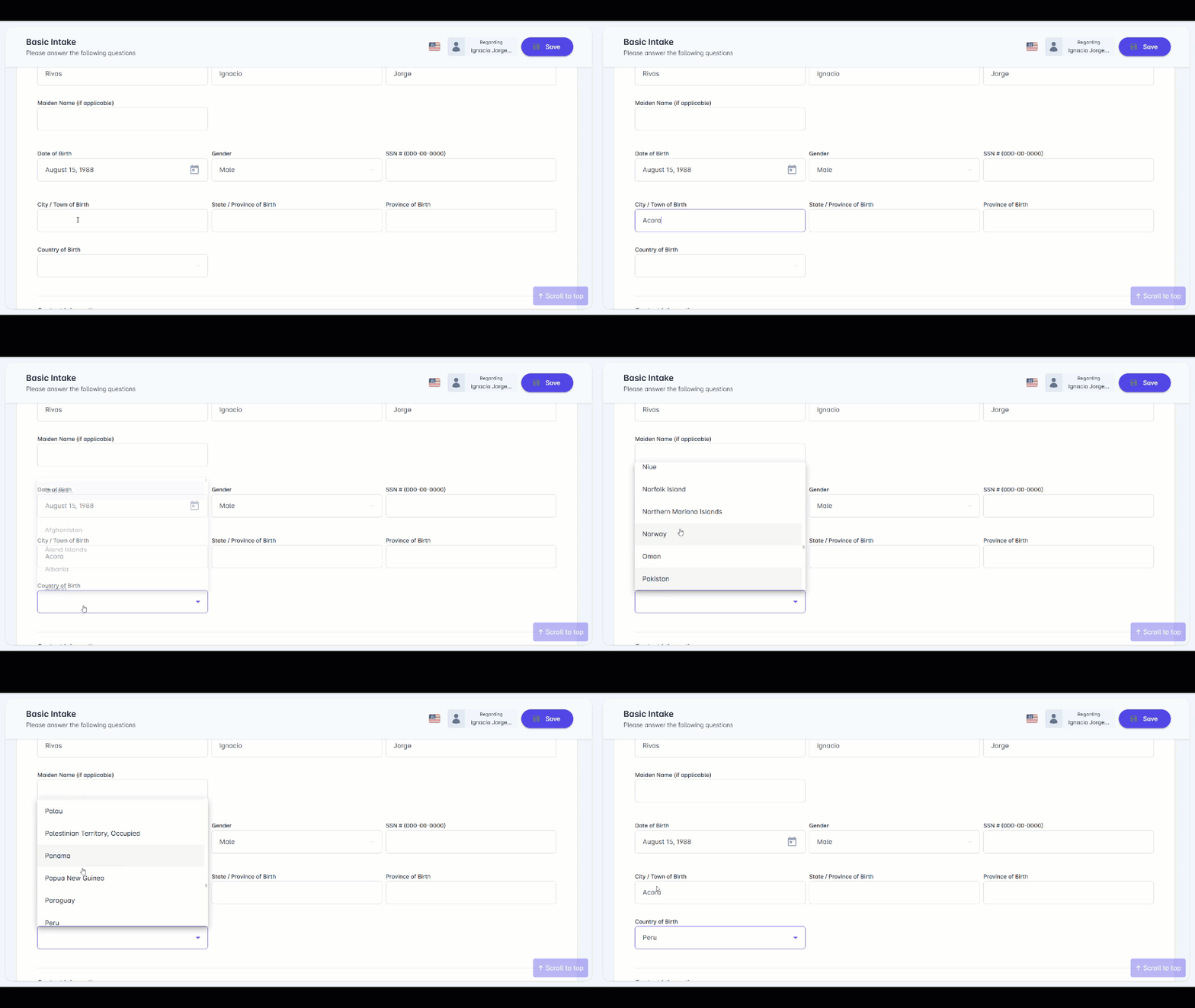
Answer each question with information about you.
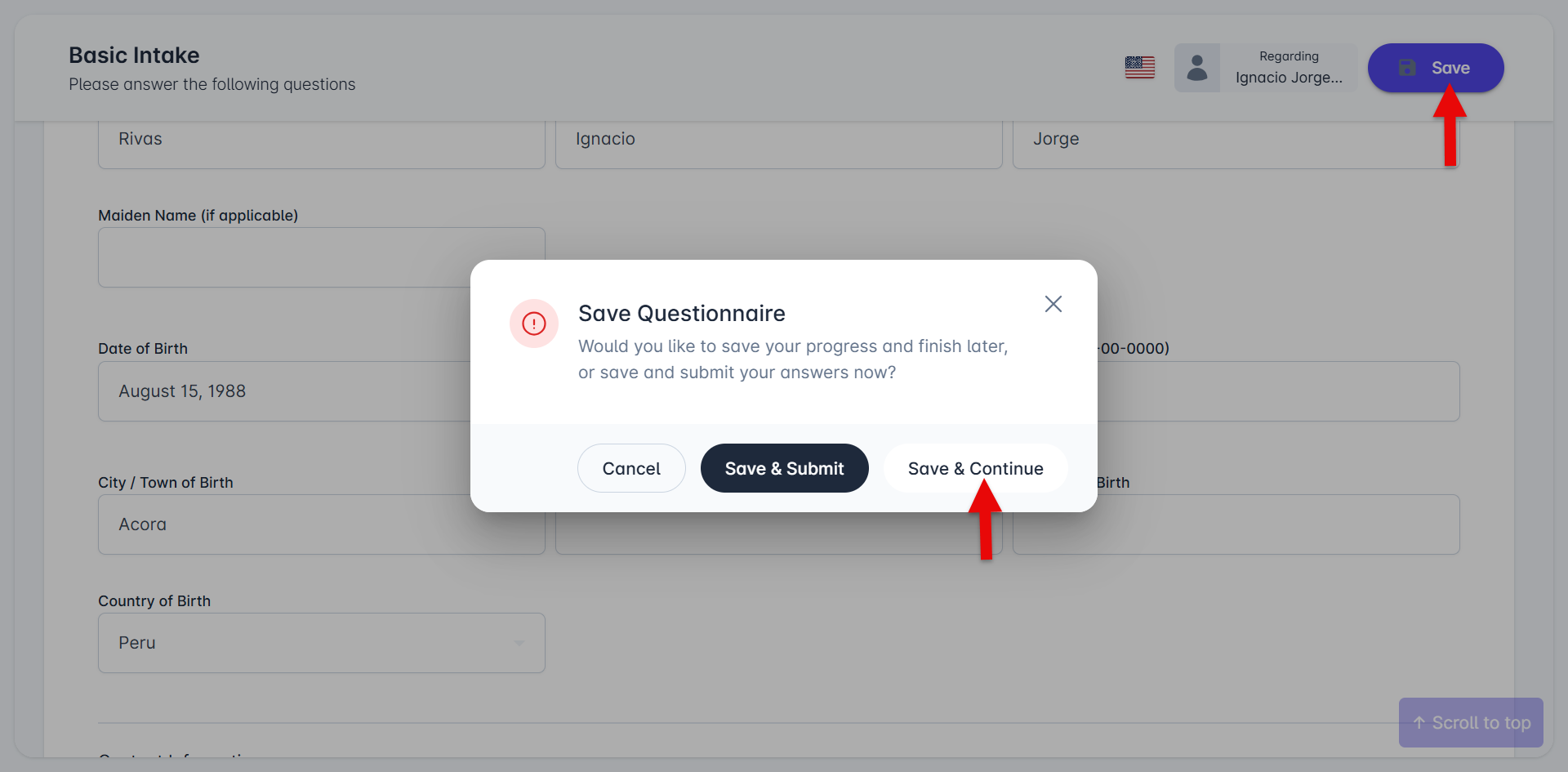
To save your progress and continue later:
Select Save.
Select Save & Continue.
To submit the completed questionnaire to your attorney or case manager:
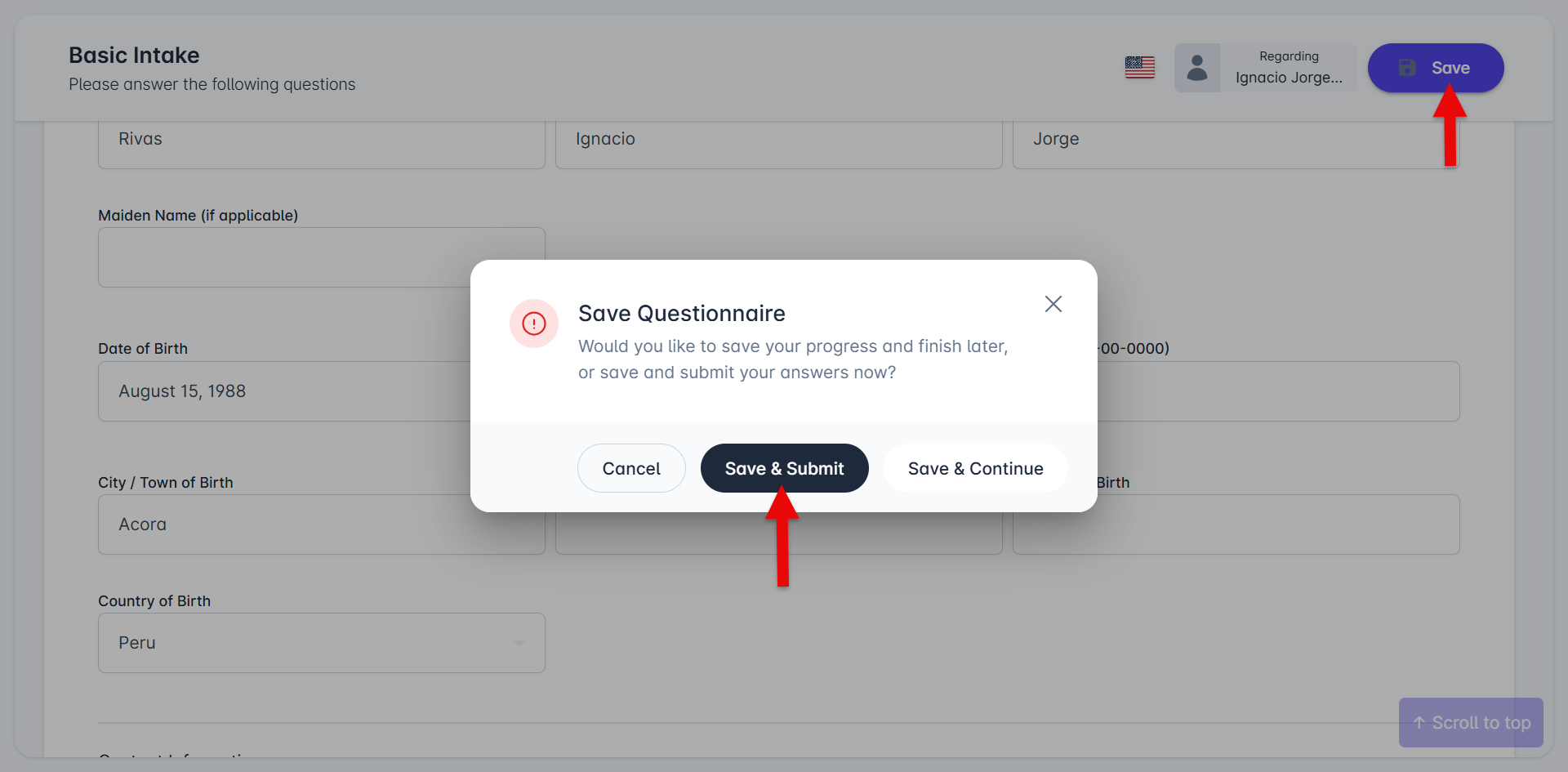
Select Save.
Select Save & Submit.
Review the message about sharing your answers digitally, then select Confirm.
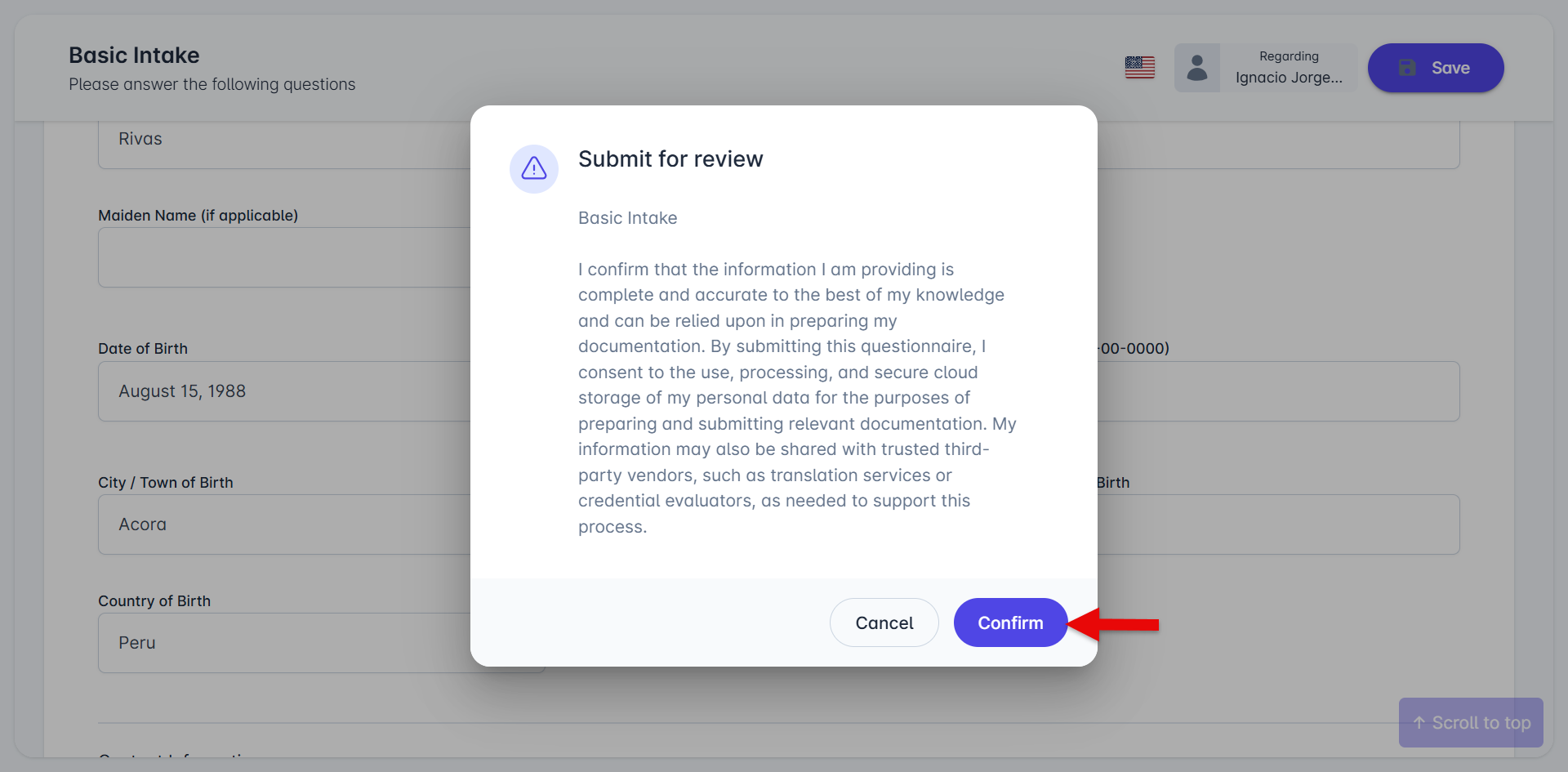
Your answers will be submitted to your attorney or case manager for review.
If you have questions about how to access your questionnaires or what information to enter, contact your attorney’s office directly for assistance.