

Installing the LollyLaw Chrome Extension
To install the LollyLaw Chrome extension, follow these steps:
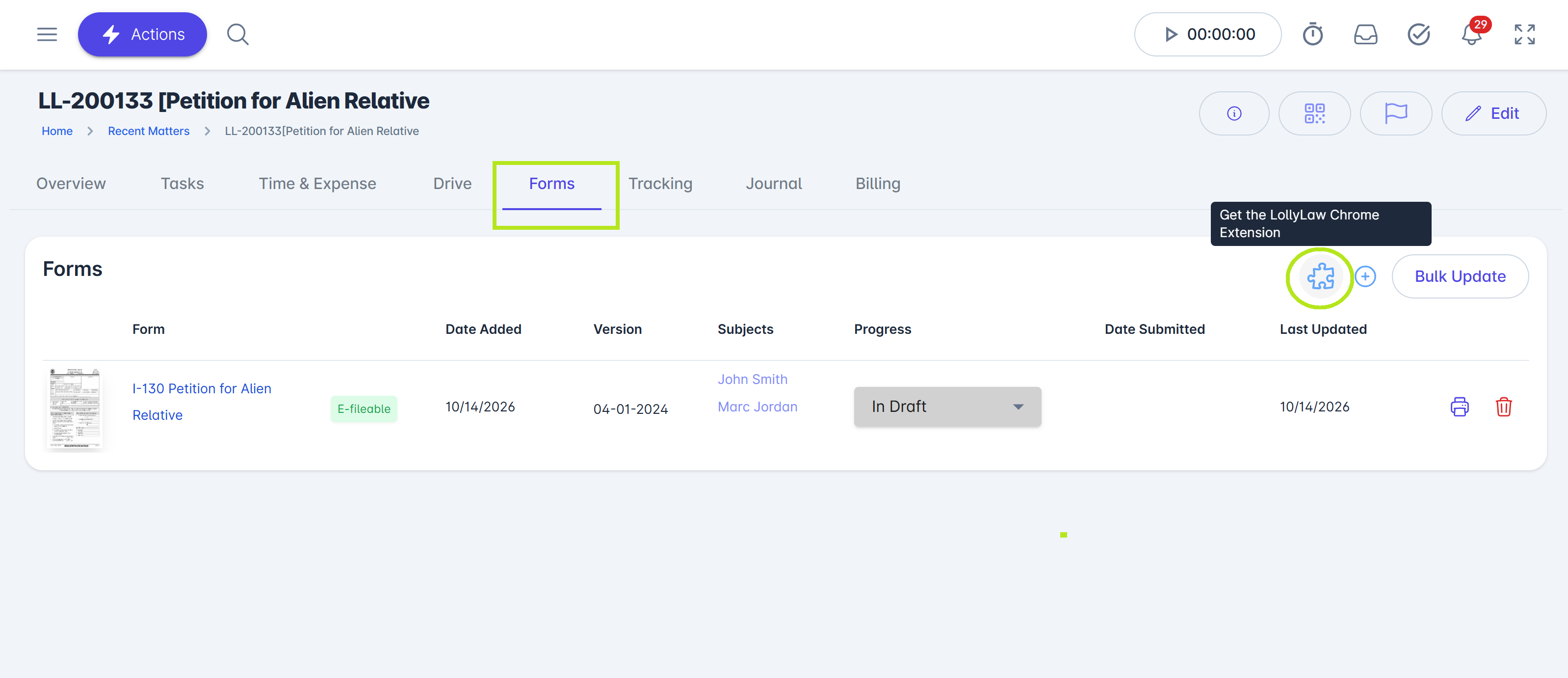
Open the Google Chrome Web Store. Navigate to https://chromewebstore.google.com/, or click the puzzle icon from the Forms tab of any matter in LollyLaw.
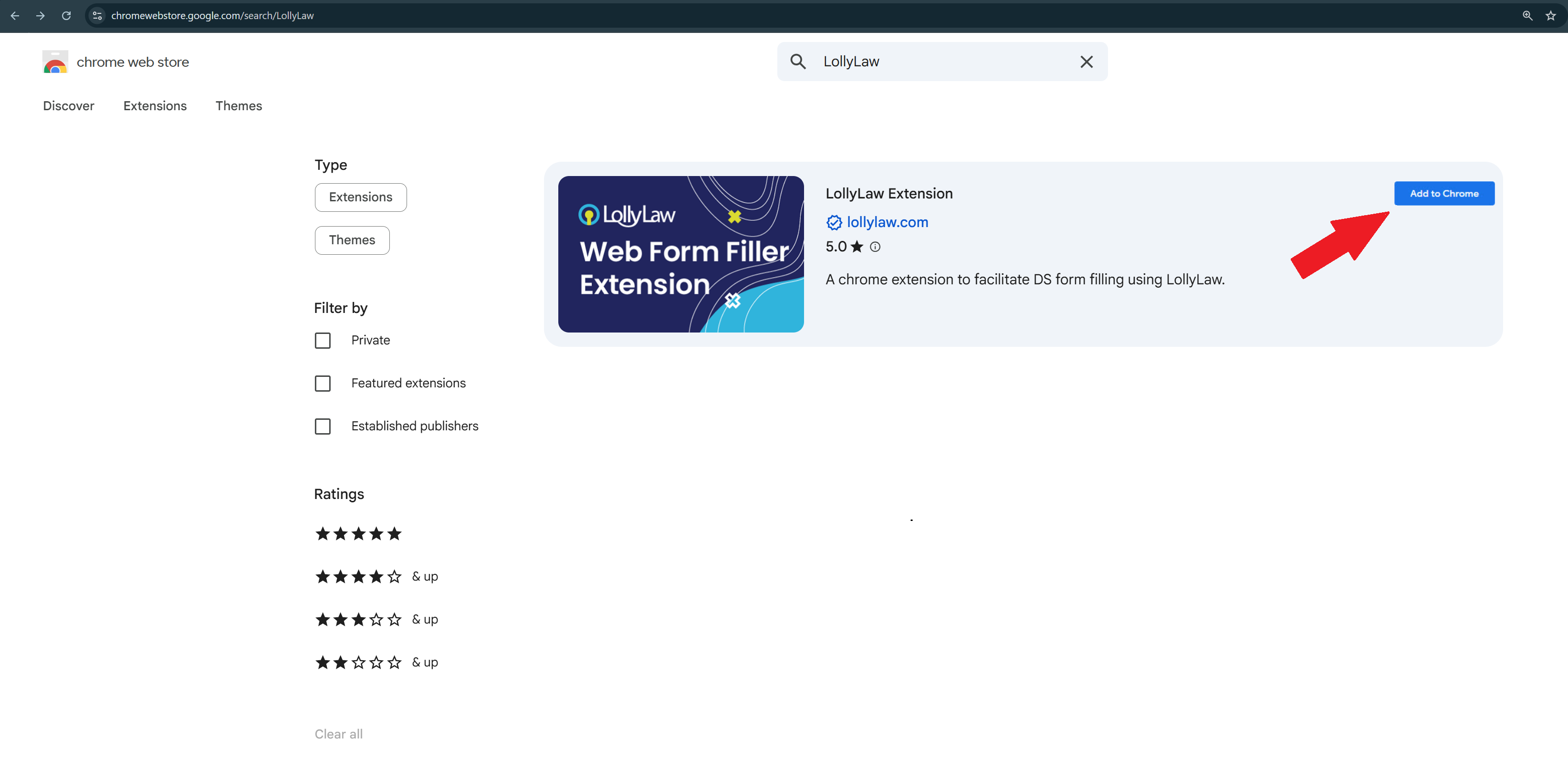
Search for the extension. Enter LollyLaw in the search bar and locate the USCIS online forms extension.
Add the extension to Chrome. Click Add to Chrome and follow the prompts to complete the installation.
Populating USCIS Forms Online
Before you begin, make sure you have an active LollyLaw subscription and a USCIS online account. If you do not have a USCIS online account, visit the USCIS website to create one.
To populate a USCIS online form with information stored in LollyLaw, follow these steps:
Navigate to https://my.uscis.gov/ & sign in. If you don't already have an account, create one now and select an account type.
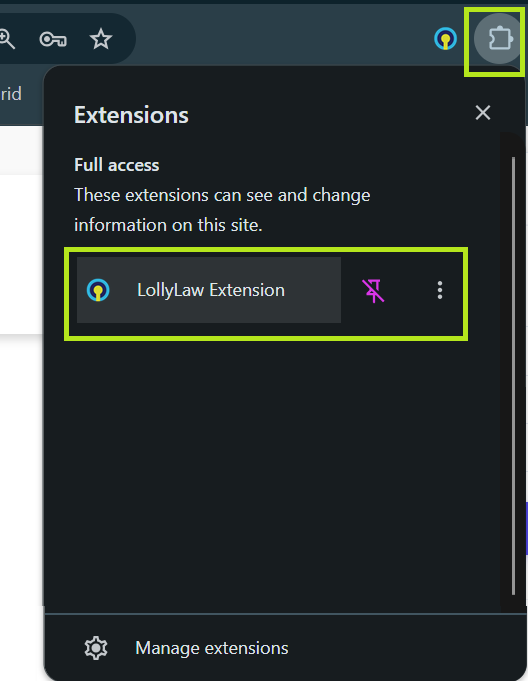
Open the LollyLaw Extension. In Google Chrome, click the Extensions puzzle piece icon and select LollyLaw Extension. Pin it to your browser toolbar for easier access.
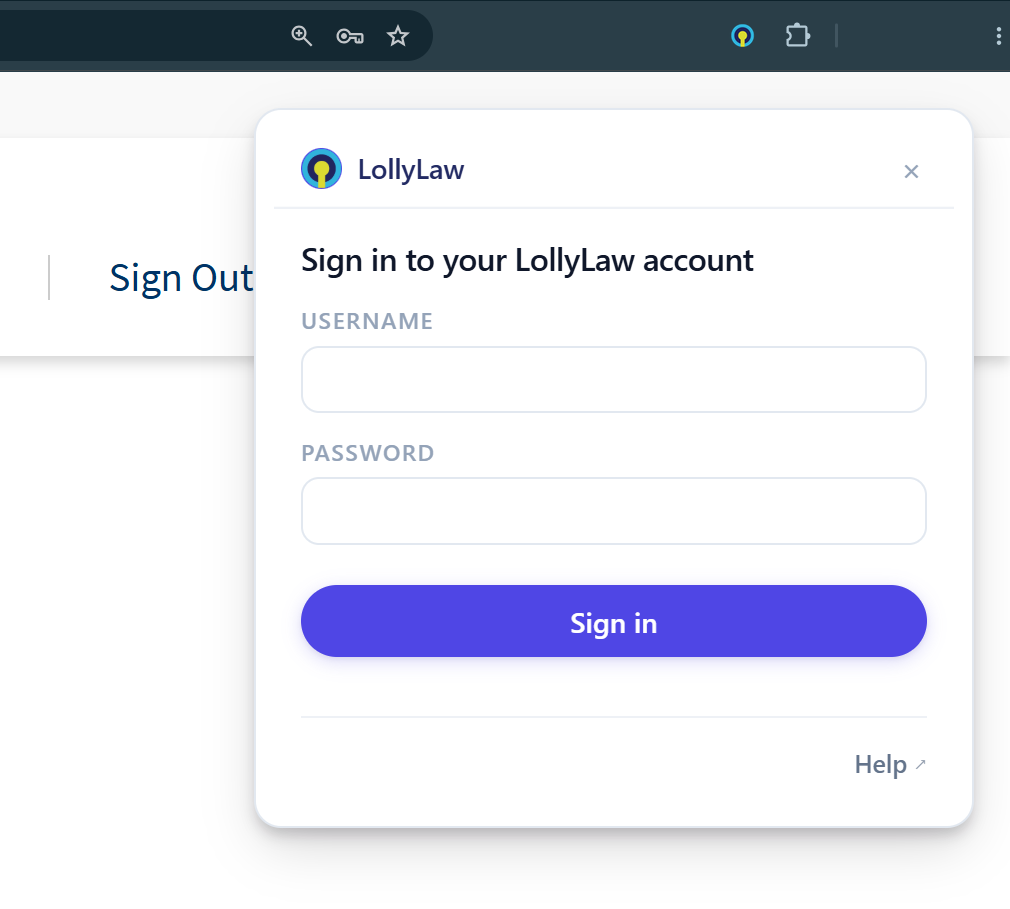
Sign in to your LollyLaw account. Enter your LollyLaw username and password in the extension. After signing in, the extension will prompt you to navigate to a USCIS form to get started.
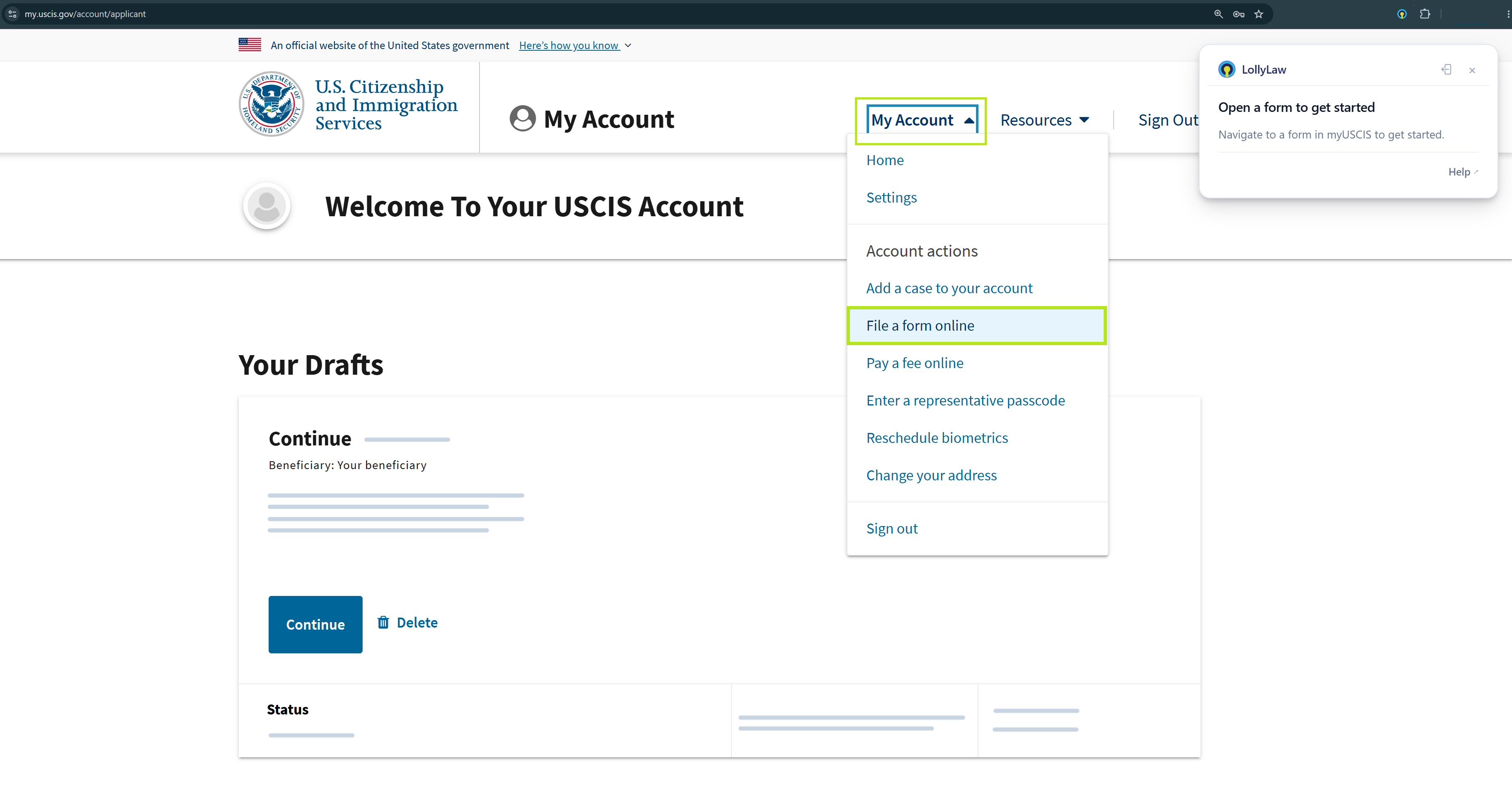
Start a new filing. In your USCIS account, open My Account and select File a form online.
Select a form. Choose the USCIS form you want to file and click Next.
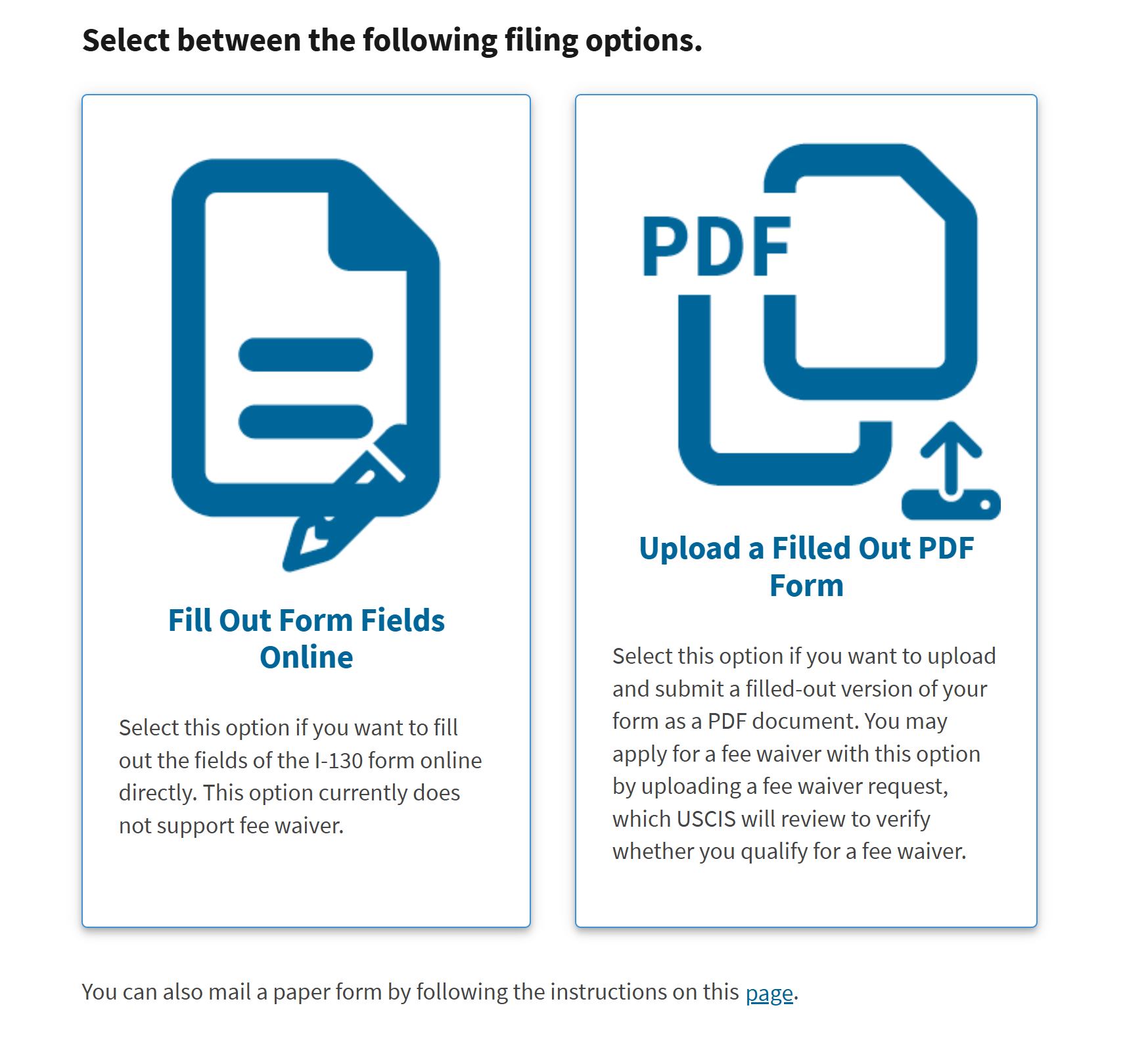
Choose the filing method. When prompted, select Fill Out Form Fields Online.
Review Form Overview. After reviewing the form overview, scroll to the bottom of the page and click Next.
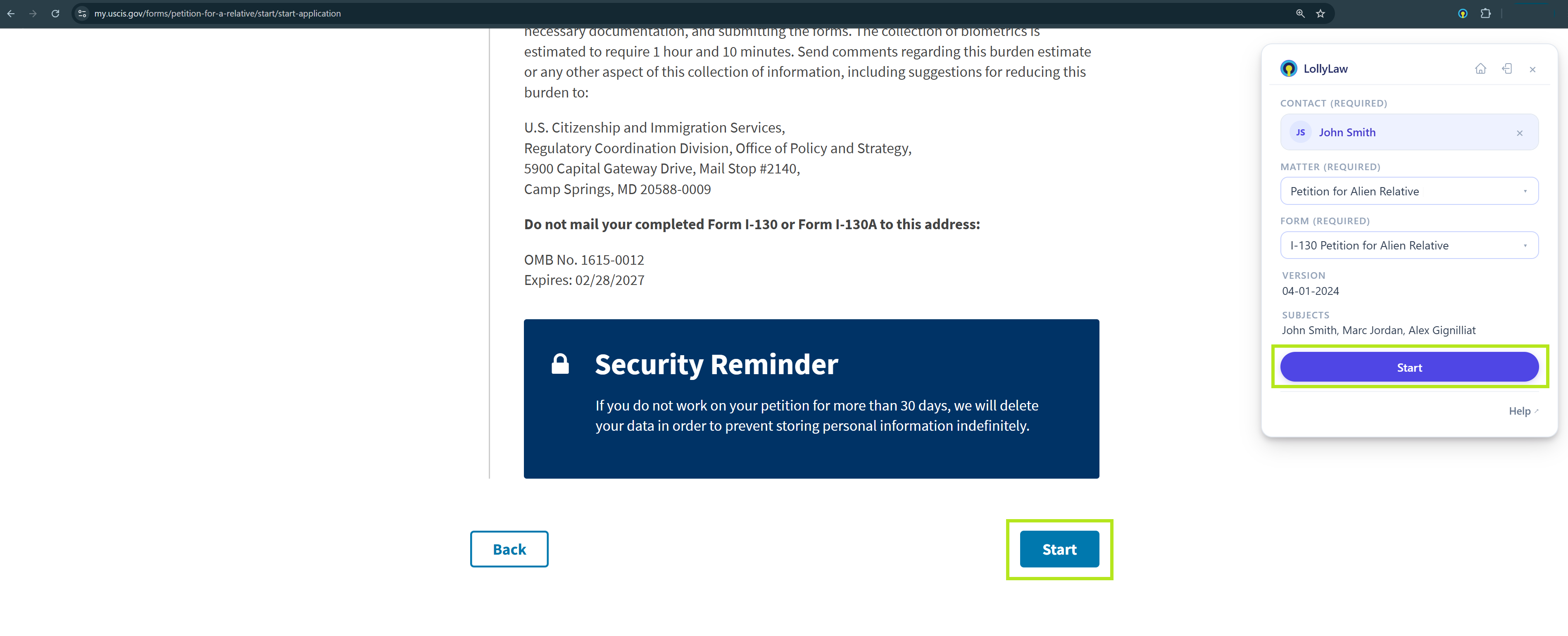
Select your LollyLaw records. In the LollyLaw extension, select the appropriate contact, matter, and form to get started.
Contact: The contact associated with the applicant.
Matter: The matter associated with the filing.
Form: The LollyLaw form containing the information you want to use.
Verify that you have selected the correct records before continuing.
Review Instructions and Start. Click Start in the LollyLaw extension. Follow the prompts on the USCIS website, including clicking Start when prompted, to open the online form.
Begin populating the form. Navigate through the USCIS online form and verify that the information populated from LollyLaw is accurate and complete. Enter or correct any information as needed.
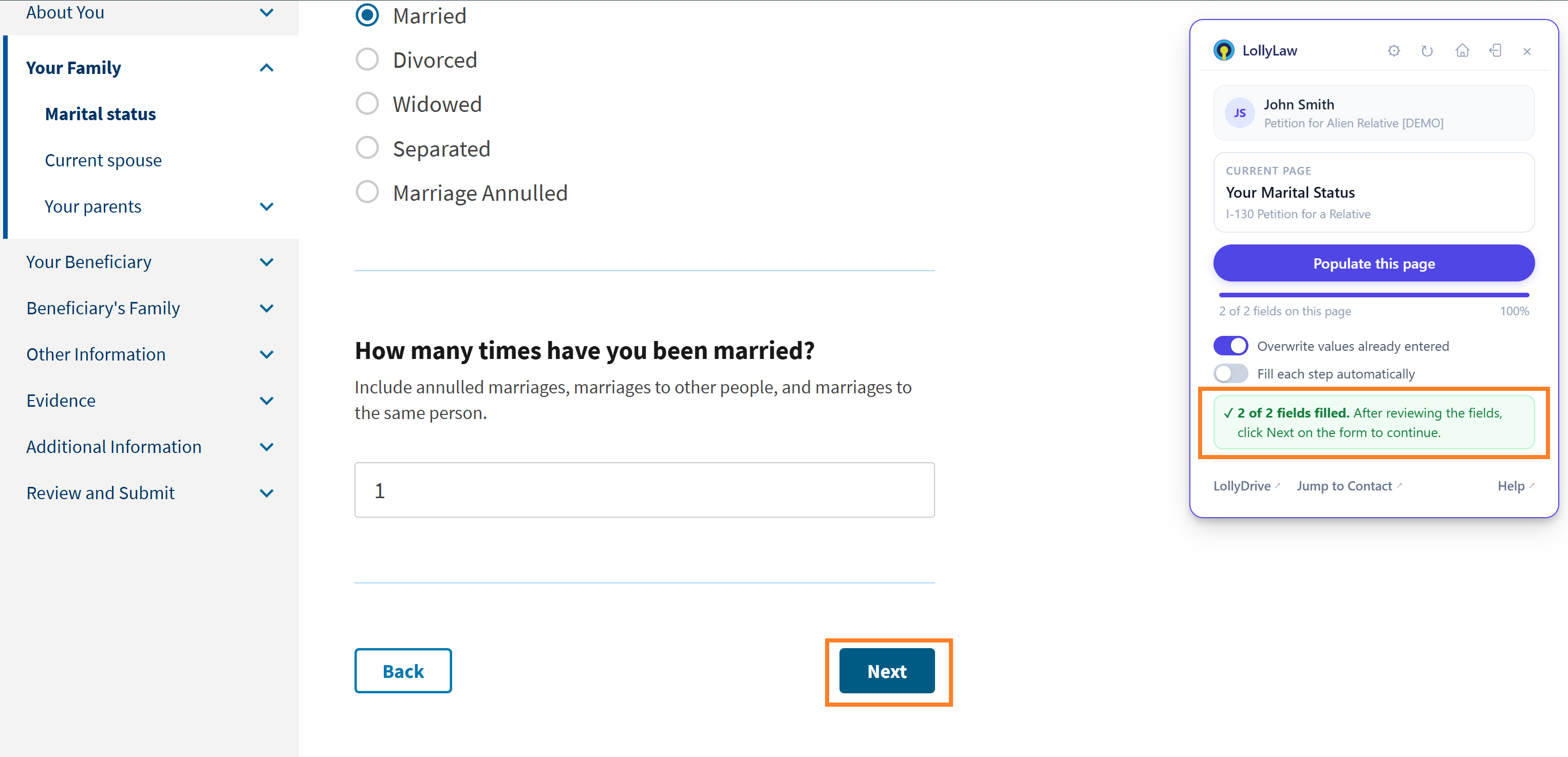
In the LollyLaw extension, click Populate this page to complete the form fields. Choose whether you want the extension to overwrite values already entered or fill each step automatically.
The extension will take a few seconds to populate the page.
Once done, the extension will list the number of fields filled. If not all fields were populated, go to app.lollylaw.com, open the matter and form to view whether information is populated. Or, fill in the information manually.
After reviewing the fields, click Next on the form to continue.
Review the application. Fill in any missing or required fields, pay required fees, and upload files, if applicable. Note: If your application requires documents to be uploaded, you must upload them manually. The extension cannot attach files.
The extension will provide the option to start a new application, view Tasks in LollyLaw, or redo the application.
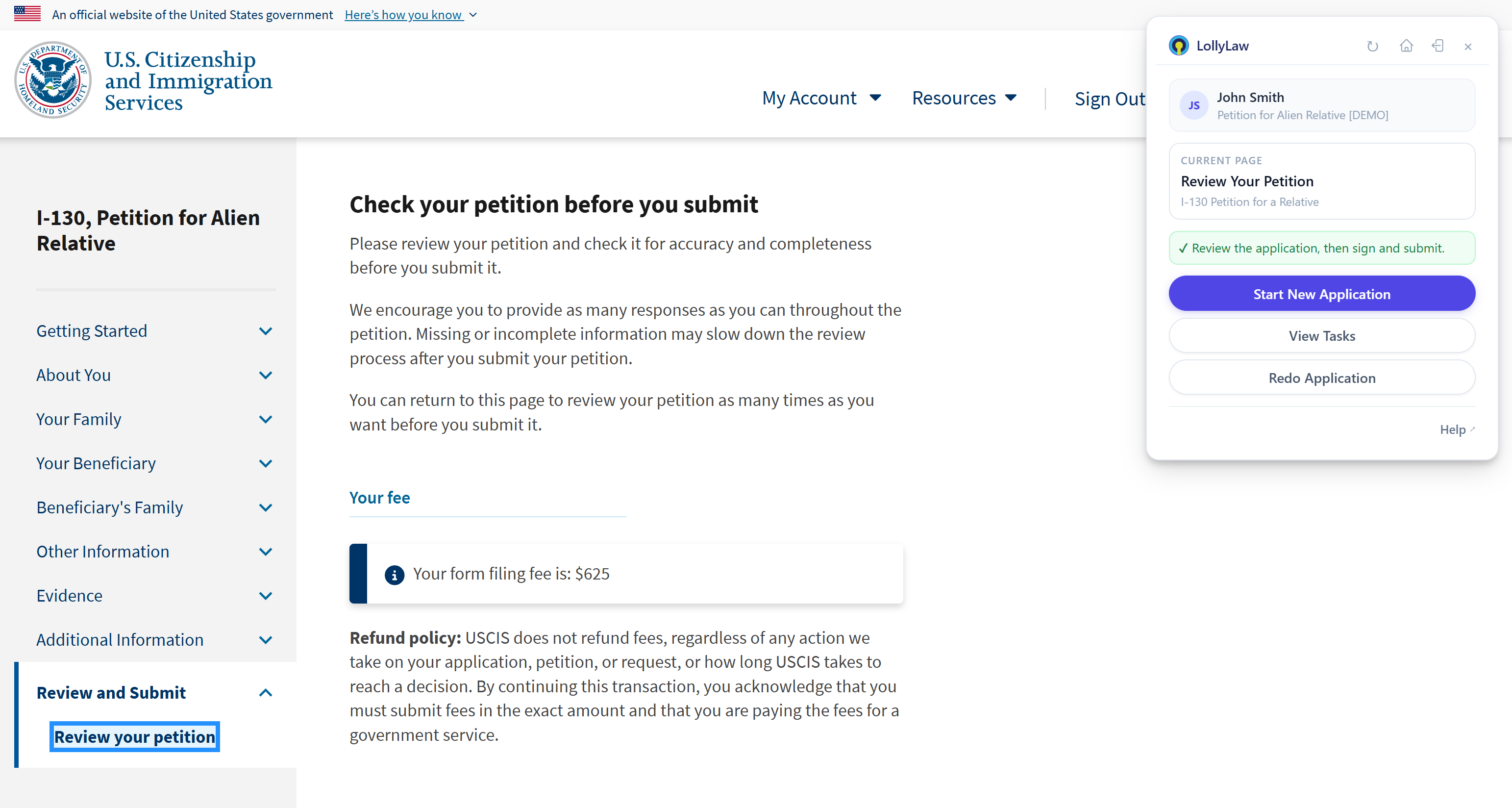
Important: The LollyLaw Chrome extension helps transfer information from LollyLaw into the USCIS online form. Review all information carefully and make any necessary corrections before submitting your application to USCIS. For assistance, contact support@lollylaw.com.