
Manage Bank Accounts
Before adding funds, make sure your firm's bank accounts are set up correctly.
Go to Settings > Manage Bank Accounts
Select your firm's default trust account
If needed, add additional bank accounts to track funds separately
You can view all transactions for each bank account in the Transactions section of the contact or matter by using the account drop-down menu.
Add funds to a Trust Account
Follow these steps to add funds:
Open the correct Contact or Matter record
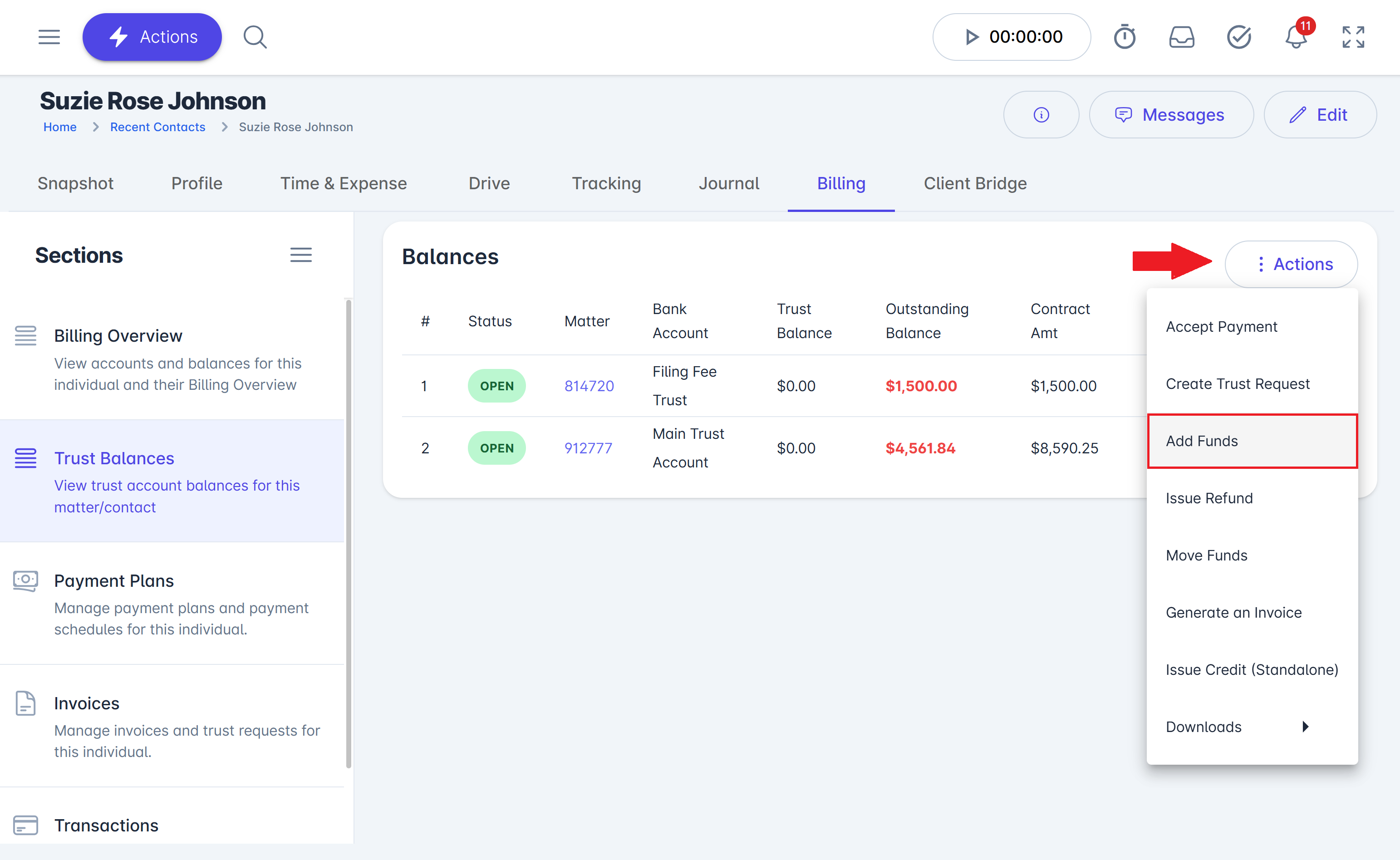
Click Billing > Trust Balances
Click Actions > Add Funds
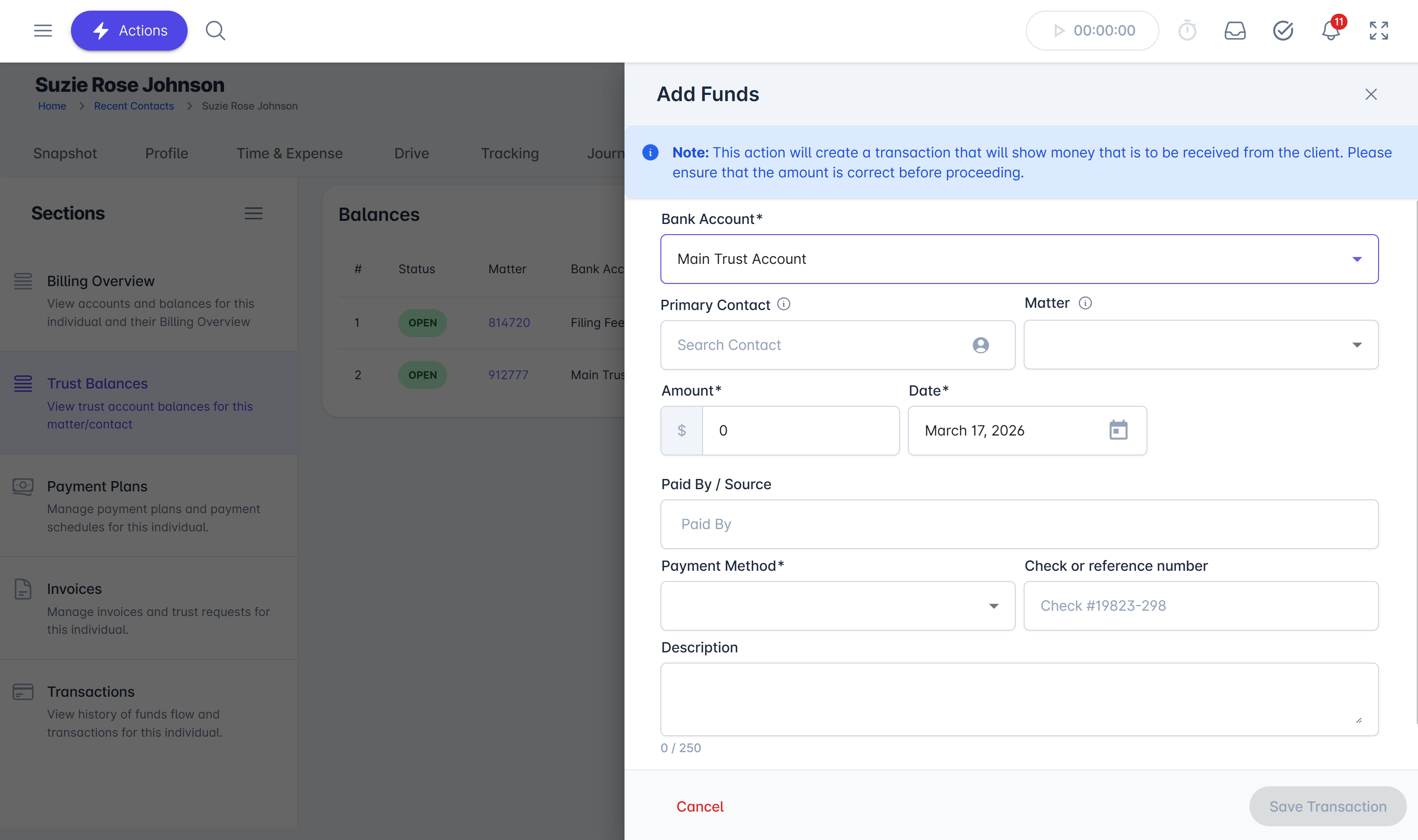
Complete the form:
Select the Bank Account
Select the Contact
Select the Matter (if applicable)
Enter the Amount and Date
Fill in any additional details as needed
Note:
The "Paid By" field is optional. Use it if the person making the payment is different from the client.
Important Reminder
If the person listed as the Primary Contact/Client is not the actual client or principal applicant:
Review the Parties Involved section of the matter
Confirm which contact is marked as Primary
This helps ensure funds are applied to the correct person and record.